Google Drive Add-ons
Custom Google Drive add-ons for file management, workflow automation, and storage integration. Optimize how your organization stores, processes, and shares data.
Google Drive Add-ons Overview
MSOfficeAddin develops custom Google Drive add-ons that transform your cloud storage into a smart, automated document ecosystem. We build professional Google Workspace extensions that enhance file management, automate complex document approval workflows, and bridge the gap between Drive and your external business systems. Our developers use the Google Drive API and Apps Script to create custom UI cards that surface file metadata, perform bulk file operations, and integrate third-party storage or archival solutions directly into the Drive interface. Whether you need an automated tool for bulk PDF conversion, a secure file-sharing portal with advanced permissions management, or a custom integration that syncs Drive files with your CRM or ERP, we deliver scalable and secure solutions. We focus on streamlining the 'lifecycle of a file', from automated ingestion and naming conventions to secure archival and data compliance, ensuring your team spends less time searching and more time collaborating.
Eleven years of client folders, named by whoever created them: that was the Drive an accounting firm asked us to bring under control before an ISO 27001 audit. Nobody wanted to reorganise 40,000 files by hand. We built a Drive add-on plus a background script that classified files by content and metadata, applied the firm's naming convention, moved everything into a client-year folder structure, and produced an exceptions list of roughly 900 files needing a human decision. The visible part is small: a card that shows any file's classification, retention date, and access history, and lets a partner correct it. The firm passed the audit control, but the daily win is quieter: new files now land in the right place at creation, so the archive never drifts back.
Drive automation earns its cost at volume: thousands of files, several teams, and rules about naming, retention, or access that people follow inconsistently. A ten-person team with tidy habits does not need it. Firms whose documents arrive mainly as email attachments often pair it with a Gmail-side build so filing starts at the inbox. It is not a records platform for heavily regulated archives, but it usually makes Drive predictable enough that the heavier system never gets bought.
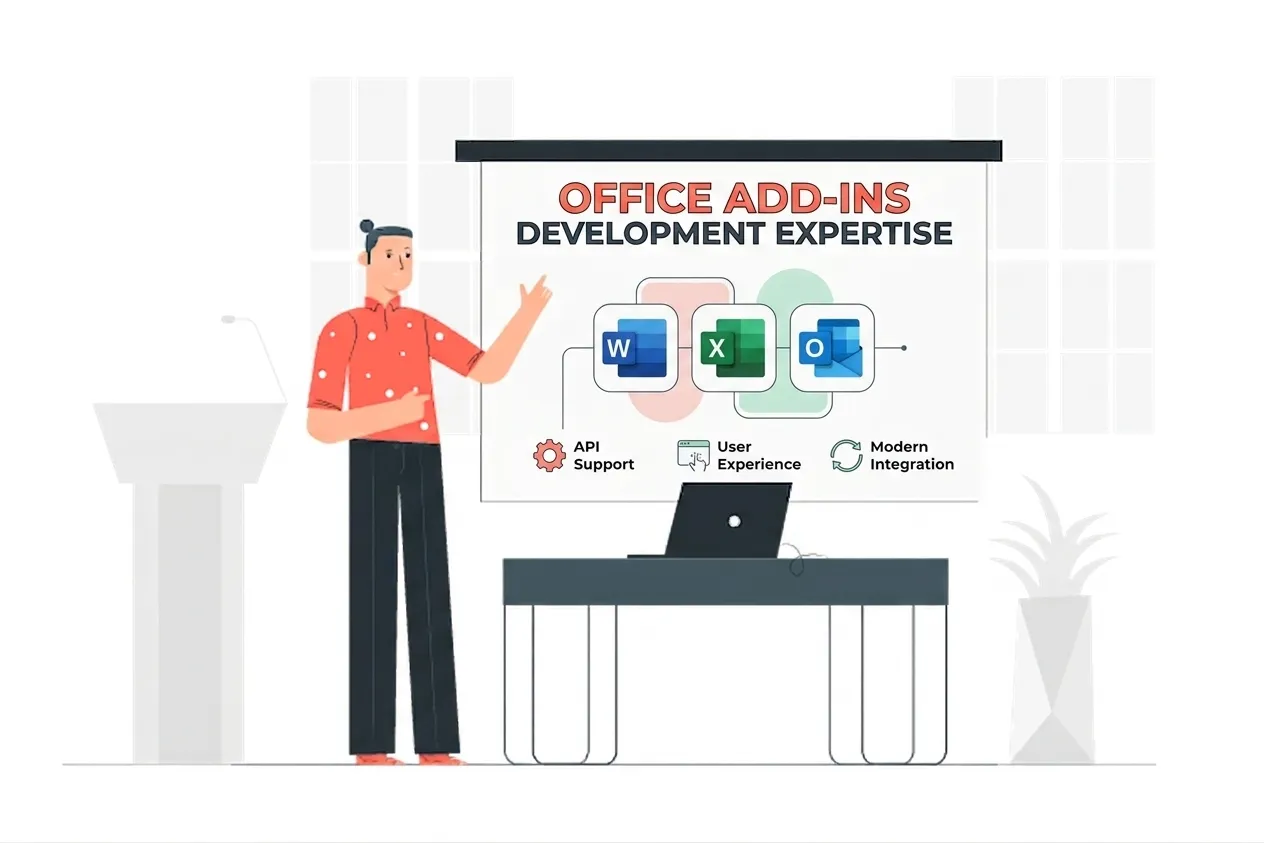
Google Drive Add-ons Expertise
Our Google Drive Add-ons Means:
- Google Drive API (v3) Engineering
- Large-scale File Batch Processing
- MIME Type Handling & Conversion
- IAM & Permission Logic
- Drive Activity Trigger Integration
Custom Google Drive Add-ons Services
Contextual file processing and metadata extraction
Enterprise-grade contextual file processing and metadata extraction solutions built on the latest Microsoft frameworks.
Automated document approval and signing workflows
Enterprise-grade automated document approval and signing workflows solutions built on the latest Microsoft frameworks.
Storage integration with third-party cloud and on-premise systems
Enterprise-grade storage integration with third-party cloud and on-premise systems solutions built on the latest Microsoft frameworks.
Bulk file operations, renaming, moving, and conversion
Enterprise-grade bulk file operations, renaming, moving, and conversion solutions built on the latest Microsoft frameworks.
Advanced access management and permission auditing
Enterprise-grade advanced access management and permission auditing solutions built on the latest Microsoft frameworks.
Integration with Google Cloud Vision and AI for document OCR
Enterprise-grade integration with google cloud vision and ai for document ocr solutions built on the latest Microsoft frameworks.
Automated file archival and compliance tracking
Enterprise-grade automated file archival and compliance tracking solutions built on the latest Microsoft frameworks.
Custom UI cards for file-specific actions and details
Enterprise-grade custom ui cards for file-specific actions and details solutions built on the latest Microsoft frameworks.
Drive Activity API for real-time monitoring and triggers
Enterprise-grade drive activity api for real-time monitoring and triggers solutions built on the latest Microsoft frameworks.
OAuth 2.0 secure authentication for enterprise data sync
Enterprise-grade oauth 2.0 secure authentication for enterprise data sync solutions built on the latest Microsoft frameworks.
Types of Google Drive Add-ons We Build
File Automation
Automate the moving, naming, and sorting of thousands of files based on custom business rules.
Smart Search
Extend Drive's search capabilities with custom metadata filters and deep-content indexing.
Approval Flows
Trigger multi-stage approval processes the moment a new file is uploaded to a specific folder.
External Sync
Keep your Google Drive files in perfect sync with external databases, CRMs, or local servers.
Featured Solutions & Interfaces
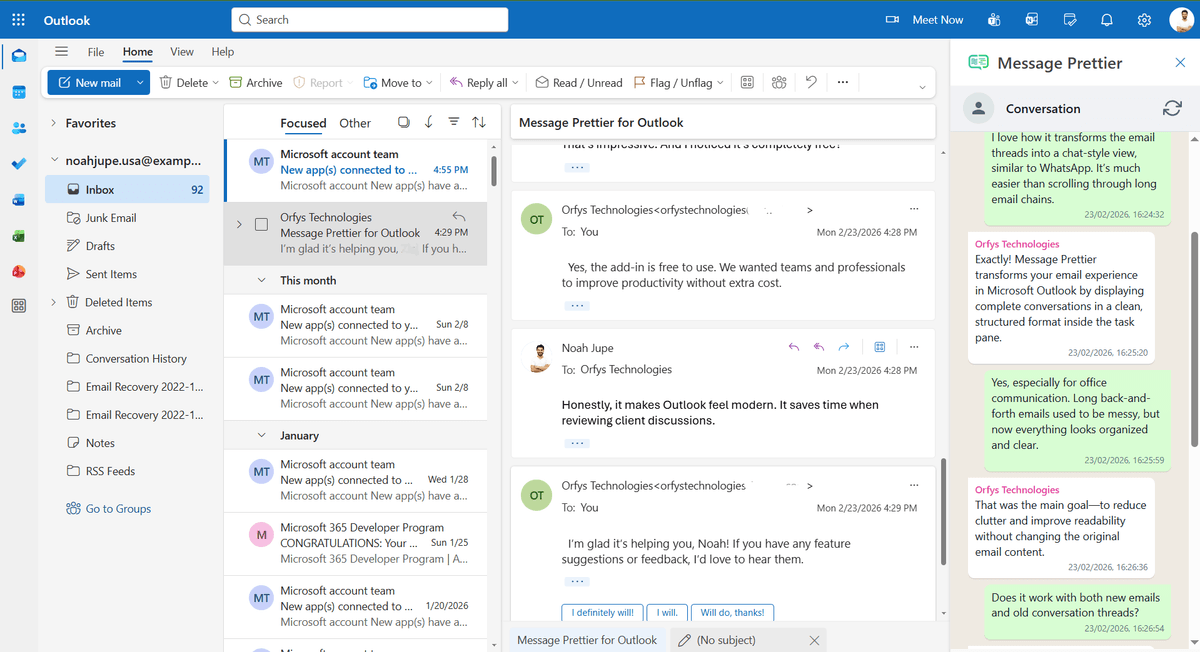
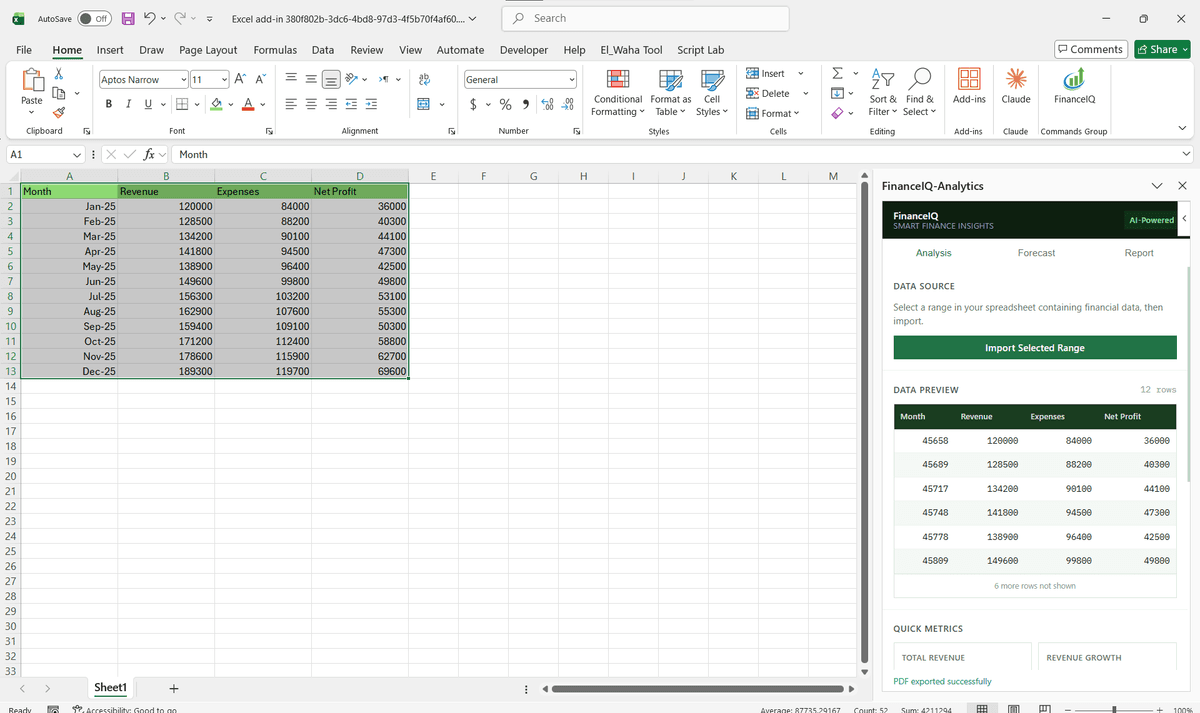
Driving Real Business
Value with Google Drive Add-ons
Don't just add features. Solve bottlenecks. Our custom solutions are engineered to reduce manual effort by up to 40% and ensure 100% data accuracy.
Cost Reduction
Automate repetitive tasks and eliminate manual data entry.
Native Experience
Add-ins look and feel like part of the original Microsoft app.
Centralized Deployment
Deploy instantly via Microsoft 365 Admin Center.
Data Security
Inherit Microsoft's enterprise-grade security protocols.
Our Tech Stack
The frameworks, cloud platforms, and AI models we build Office add-ins and integrations on.



Industry-Specific Solutions
We tailor our Microsoft development expertise to meet the unique compliance and workflow requirements of your sector.



HR & Recruiting
Secure employee onboarding document workflows and permission management.









What Our Clients Say
Join 100+ businesses who trust us with their critical Office automation and enterprise add-in development.
"Amazing work. The Excel plugin was built exactly around what I needed and has made the process much faster and easier to manage. Communication was clear throughout, the turnaround was quick, and the final result worked well without needing constant back and forth. They clearly understood the problem."
"MSOfficeAddin truly exceeded expectations in software development, showcasing impeccable professionalism and profound code expertise. Working with the team was a breeze thanks to excellent cooperation and punctual delivery. HIGHLY recommend their services!"
"MSOfficeAddin delivered a flawless software project with incredible attention to detail and professionalism. Working with the team was a breeze as they were consistently responsive and cooperative, all while demonstrating EXCELLENT language fluency. 👍"
Frequently asked questions
Can an add-on automatically rename files based on their content?
Is it possible to track who accessed or downloaded a file?
Can bulk operations be undone if a rule was wrong?
Do the automations respect existing sharing permissions?
Explore Related Solutions
Complement your current ecosystem with our other specialized Microsoft development services.
Start your Google Drive Add-ons project
Our experts are ready to help you architect and deploy your enterprise solution. Schedule a technical discovery call today.
Talk to us
info@msofficeaddin.com
Response within 24 hours
Consultation
Book a technical discovery call
Global Support
Working with clients across North America, Europe, and Asia.
We've pre-filled this form for the Google Drive Add-ons service. Feel free to edit any field before sending.