VBA Development
Custom VBA and macro development for Excel, Word, Outlook, and Access, plus modernization of ageing projects and migration to Office Scripts or Office.js where cross-platform or cloud runs are needed.
VBA Development Overview
Our VBA development work covers three things: building custom macros from scratch, modernizing projects that have quietly grown fragile, and migrating to Office Scripts or Office.js when the browser or cloud gets involved. VBA is still a supported part of desktop Office, and Microsoft has announced no end-of-life for it as of 2026, so this is about fit rather than replacement. It runs on Windows and Mac desktop apps but not in Office on the web, which is the line we help teams plan around. Where automation needs to reach outside the workbook, we connect it through a proper API integration instead of brittle glue, and we keep your day-to-day Excel automation fast and dependable while any modernization happens.
A healthcare billing team called after a Windows update broke their oldest Excel macro overnight. The culprit was the phase-out of VBScript: their code leaned on the RegExp object and a couple of external .vbs helper calls that no longer resolved. We moved them to Office build 2508, where RegExp is available natively, rewrote the external calls in pure VBA, and cleaned up the references. While we were in there, we signed and packaged the workbooks so the red Mark-of-the-Web banner stopped blocking macros that arrived by email. Nothing about the daily routine changed for the billing clerks; the automation just stopped surprising them.
Most teams do not need to move off VBA, and we will say so when staying is the right call. VBA still covers more of desktop Excel than the newer tools do. Office Scripts, Power Automate, Python in Excel, and Office Add-ins are the modern paths Microsoft points to, and each one earns its place only where it beats VBA on something concrete, usually cross-platform reach or a cloud-triggered run. We split a workflow by responsibility and move only the parts that gain from it, so you are never rewriting working code for its own sake. Finance, healthcare, logistics, and manufacturing teams still lean on VBA every day, and our job as Microsoft 365 add-in specialists is to keep it reliable, secure, and ready for whatever platform change comes next.
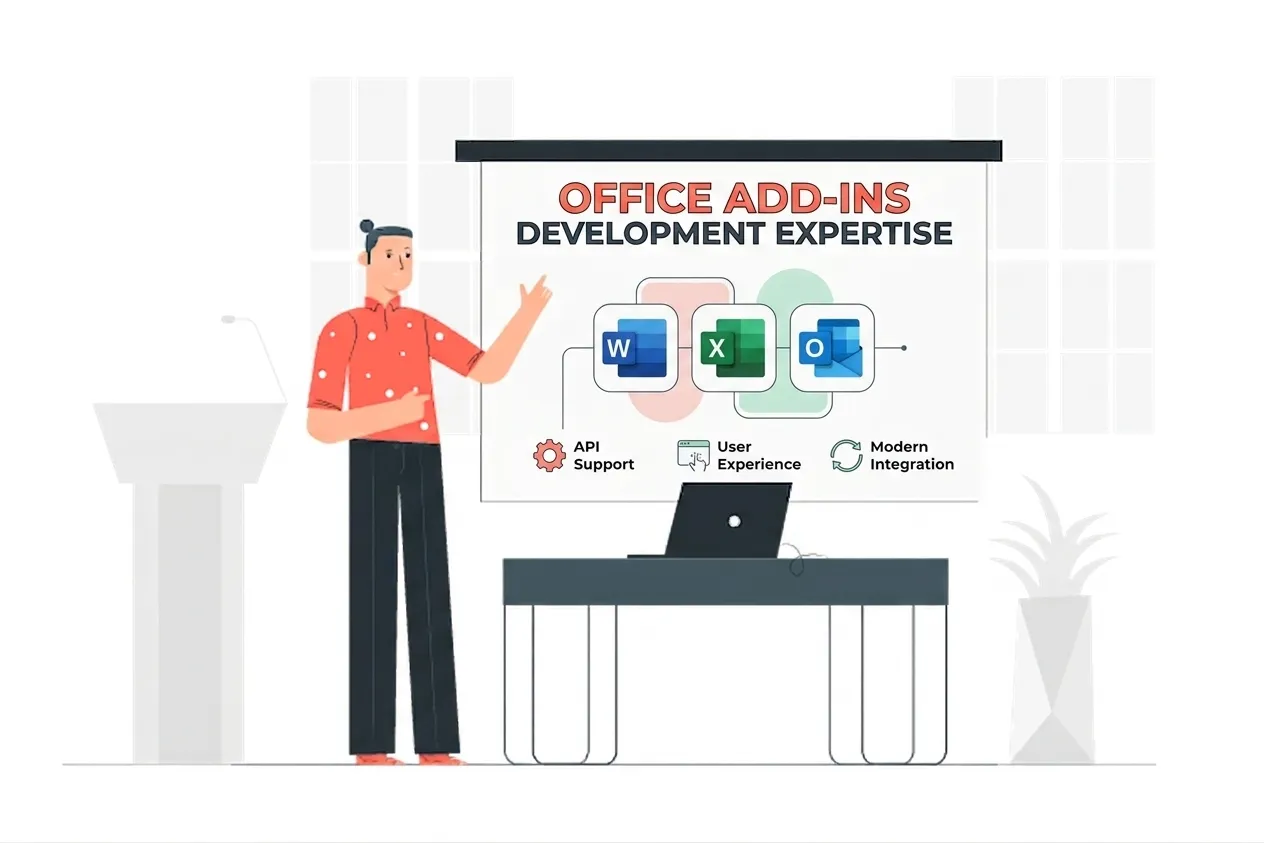
VBA Development Expertise
Our VBA Development Means:
- Excel, Word, and Outlook VBA Engineering
- Legacy Macro Modernization
- Office Scripts and Power Automate Migration
- Macro Security and Code Signing
- VBScript Deprecation Remediation
Custom VBA Development Services
Custom macro development for Excel, Word, Outlook, and Access
Enterprise-grade custom macro development for excel, word, outlook, and access solutions built on the latest Microsoft frameworks.
VBScript-dependency remediation, including RegExp and .vbs calls
Enterprise-grade vbscript-dependency remediation, including regexp and .vbs calls solutions built on the latest Microsoft frameworks.
Mark-of-the-Web hardening with signing and trusted distribution
Enterprise-grade mark-of-the-web hardening with signing and trusted distribution solutions built on the latest Microsoft frameworks.
Performance tuning for slow or fragile legacy macros
Enterprise-grade performance tuning for slow or fragile legacy macros solutions built on the latest Microsoft frameworks.
Migration to Office Scripts for browser and Power Automate runs
Enterprise-grade migration to office scripts for browser and power automate runs solutions built on the latest Microsoft frameworks.
Migration to Office.js for cross-platform and marketplace add-ins
Enterprise-grade migration to office.js for cross-platform and marketplace add-ins solutions built on the latest Microsoft frameworks.
Python in Excel and Power Automate integration where they fit
Enterprise-grade python in excel and power automate integration where they fit solutions built on the latest Microsoft frameworks.
Documentation and handover so your team can maintain the result
Enterprise-grade documentation and handover so your team can maintain the result solutions built on the latest Microsoft frameworks.
Types of VBA Development We Build
Custom Macros
Purpose-built automation for Excel, Word, Outlook, and Access that fits how your team already works.
Macro Rescue
We fix VBA that broke after Windows or Office updates, including VBScript and RegExp issues.
Trusted Signing
Signed and packaged workbooks so the Mark-of-the-Web banner stops blocking macros that arrive by email.
Modern Migration
We move the parts that need the browser or cloud to Office Scripts or Office.js, and leave the rest in VBA.
Featured Solutions & Interfaces
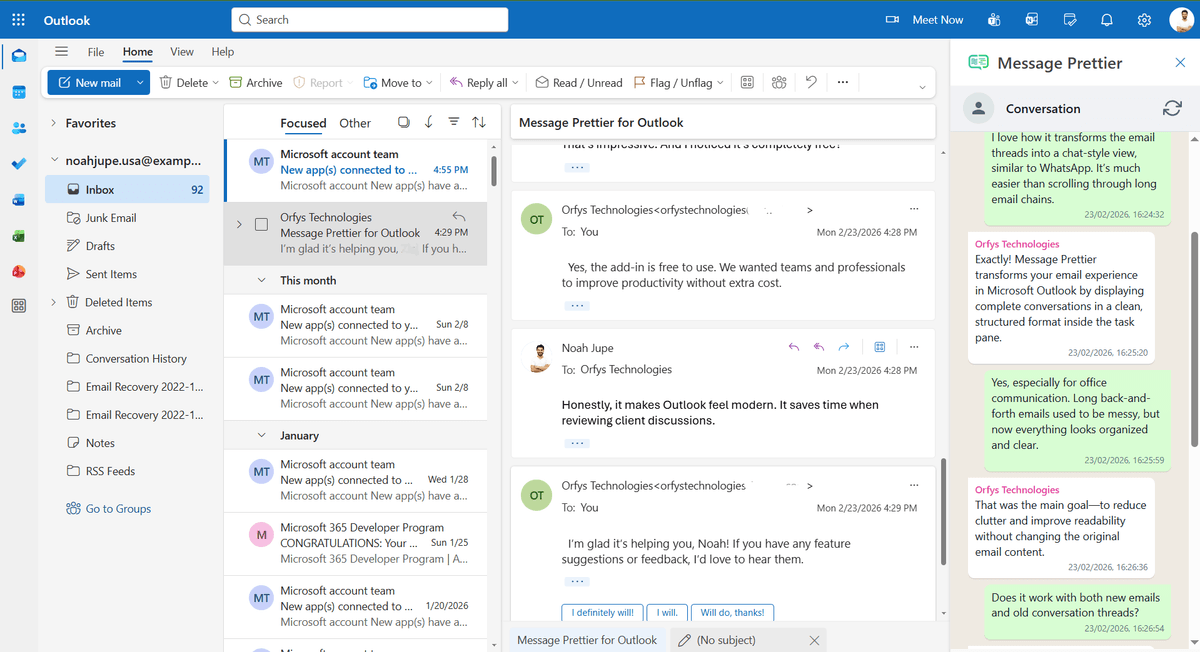
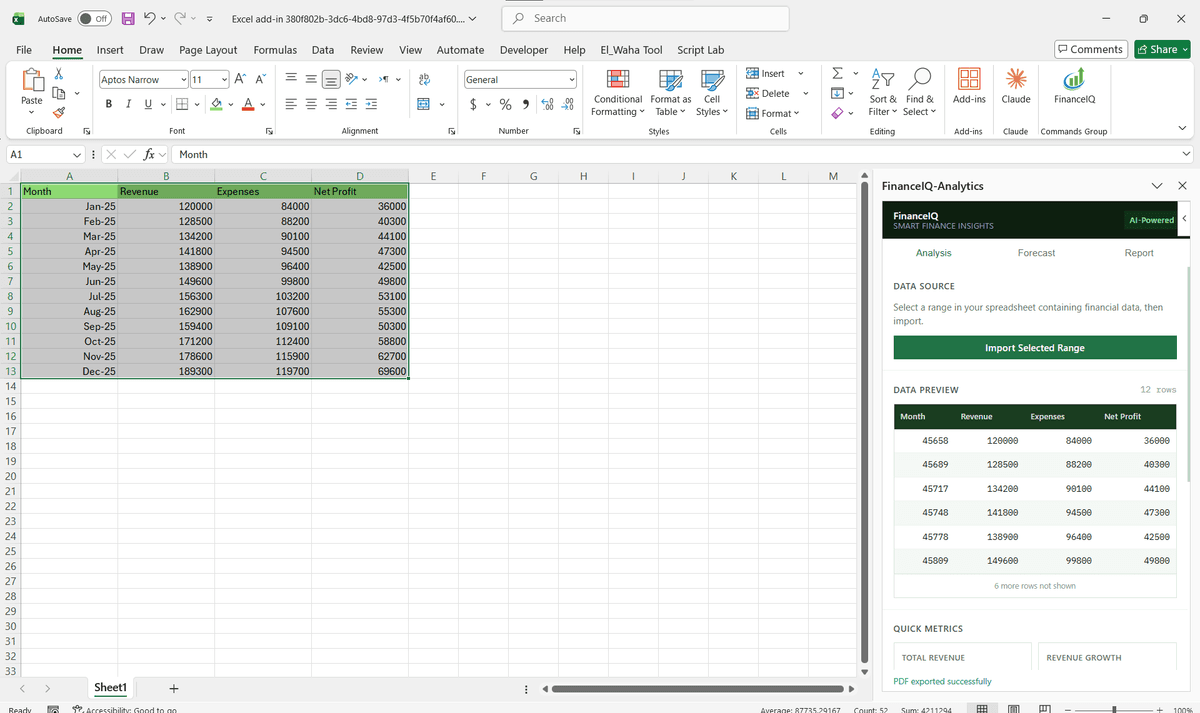
Driving Real Business
Value with VBA Development
Don't just add features. Solve bottlenecks. Our custom solutions are engineered to reduce manual effort by up to 40% and ensure 100% data accuracy.
Cost Reduction
Automate repetitive tasks and eliminate manual data entry.
Native Experience
Add-ins look and feel like part of the original Microsoft app.
Centralized Deployment
Deploy instantly via Microsoft 365 Admin Center.
Data Security
Inherit Microsoft's enterprise-grade security protocols.
Our Tech Stack
The frameworks, cloud platforms, and AI models we build Office add-ins and integrations on.



Industry-Specific Solutions
We tailor our Microsoft development expertise to meet the unique compliance and workflow requirements of your sector.

Finance & Banking
Pricing models, reconciliations, and reporting macros maintained and hardened.

Healthcare
Billing and records automation kept running through Windows and Office updates.

Manufacturing
Shop-floor and supply-chain workbooks modernized without disrupting the line.










What Our Clients Say
Join 100+ businesses who trust us with their critical Office automation and enterprise add-in development.
"Amazing work. The Excel plugin was built exactly around what I needed and has made the process much faster and easier to manage. Communication was clear throughout, the turnaround was quick, and the final result worked well without needing constant back and forth. They clearly understood the problem."
"MSOfficeAddin truly exceeded expectations in software development, showcasing impeccable professionalism and profound code expertise. Working with the team was a breeze thanks to excellent cooperation and punctual delivery. HIGHLY recommend their services!"
"MSOfficeAddin delivered a flawless software project with incredible attention to detail and professionalism. Working with the team was a breeze as they were consistently responsive and cooperative, all while demonstrating EXCELLENT language fluency. 👍"
Frequently asked questions
Is VBA still supported in 2026?
Should I move from VBA to Office Scripts?
Why are my macros blocked?
Can you fix VBA that broke after a Windows update?
Can I run VBA in Excel on the web?
Which industries still rely on VBA?
Start your VBA Development project
Our experts are ready to help you architect and deploy your enterprise solution. Schedule a technical discovery call today.
Talk to us
info@msofficeaddin.com
Response within 24 hours
Consultation
Book a technical discovery call
Global Support
Working with clients across North America, Europe, and Asia.
We've pre-filled this form for the VBA Development service. Feel free to edit any field before sending.