VSTO Add-in Development
We build and maintain VSTO and COM add-ins for Windows desktop Office, then migrate them to Office.js web add-ins so your tools keep running as teams move to the new Outlook and cross-platform Microsoft 365.
VSTO Add-in Development Overview
Our VSTO add-in development team builds and maintains the .NET Framework add-ins that load directly into Windows desktop Office, and we move them to the modern web model before that model runs out of road. VSTO and COM add-ins are compiled components that plug into the desktop Office process on Windows only, which is why they never appear in the new Outlook, on Mac, or in Office on the web. Microsoft has said it will not carry VSTO or COM past .NET Framework, so there is no .NET 5 or later path. Classic Outlook stays supported until at least 2029, which is the window most teams use to plan a calm move rather than a scramble. We keep your current Excel add-in and Outlook add-in work stable today while we design the web replacement.
A logistics firm came to us with a decade-old COM add-in that priced freight quotes inside Excel and Outlook. It still worked, but their IT team had just been told the new Outlook for Windows would become the default, and the add-in simply would not load there. We spent the first phase cataloguing every feature and ranking it by how often staff actually used it. The heavy calculation logic moved into a shared service, and the task pane was rebuilt in Office.js so it now opens on classic Outlook, new Outlook, and the web. The pricing team kept the exact workflow they knew, and the move shipped in stages so no quarter-end was ever put at risk.
This work fits teams running feature-rich VSTO or COM add-ins that must keep working on classic Office now and reach a supported model before the new Outlook default arrives. Microsoft now switches Microsoft 365 enterprise users to the new Outlook by default in March 2027, a year later than first planned, so there is time to plan but not to ignore it. If a feature has no direct web equivalent yet, we say so and design a supported workaround rather than promise parity the platform cannot deliver. And if your add-in is small and only ever runs on classic desktop Office, we will tell you plainly when staying put a little longer is the cheaper, sensible call. As Office.js experts, we would rather scope the honest path than sell you a rebuild you do not need.
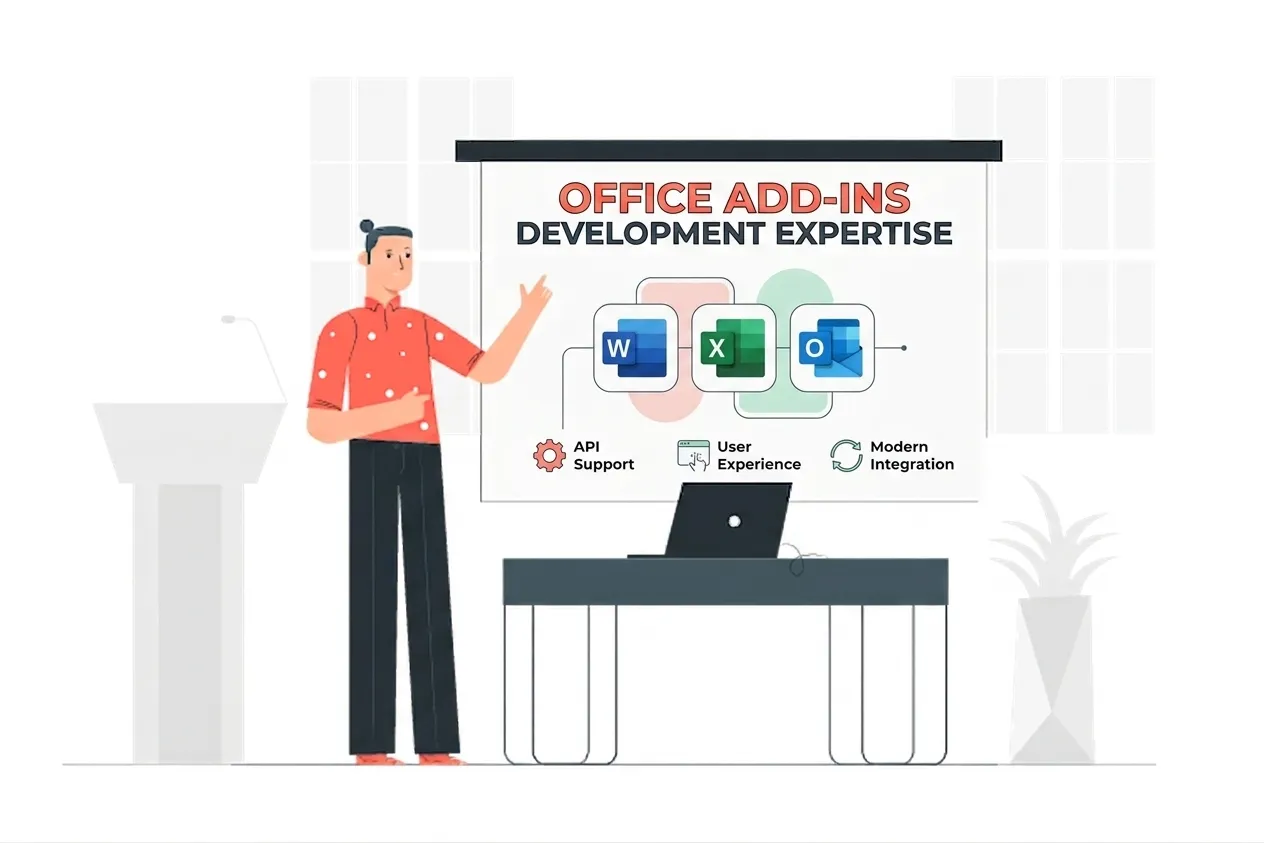
VSTO Add-in Development Expertise
Our VSTO Add-in Development Means:
- VSTO and COM Interop Engineering
- .NET Framework Office Automation
- Office.js Web Add-in Architecture
- Legacy Add-in Migration Planning
- Cross-Platform Office Deployment
Custom VSTO Add-in Development Services
VSTO and COM add-in maintenance for Windows desktop Office
Enterprise-grade vsto and com add-in maintenance for windows desktop office solutions built on the latest Microsoft frameworks.
Feature-by-feature migration to Office.js web add-ins
Enterprise-grade feature-by-feature migration to office.js web add-ins solutions built on the latest Microsoft frameworks.
Task pane and ribbon rebuilds for classic and new Outlook
Enterprise-grade task pane and ribbon rebuilds for classic and new outlook solutions built on the latest Microsoft frameworks.
Excel, Word, and Outlook automation on the .NET Framework runtime
Enterprise-grade excel, word, and outlook automation on the .net framework runtime solutions built on the latest Microsoft frameworks.
Web API gap analysis and supported workaround design
Enterprise-grade web api gap analysis and supported workaround design solutions built on the latest Microsoft frameworks.
Side-by-side rollout so classic add-ins keep running during migration
Enterprise-grade side-by-side rollout so classic add-ins keep running during migration solutions built on the latest Microsoft frameworks.
Signing, packaging, and centralized deployment
Enterprise-grade signing, packaging, and centralized deployment solutions built on the latest Microsoft frameworks.
Ongoing support ahead of the new Outlook enterprise default in March 2027
Enterprise-grade ongoing support ahead of the new outlook enterprise default in march 2027 solutions built on the latest Microsoft frameworks.
Types of VSTO Add-in Development We Build
COM Add-in Maintenance
Keep your existing VSTO and COM add-ins stable on classic Windows Office while the web replacement is designed and tested in parallel.
Office.js Rebuild
We remap each desktop feature to its Office.js equivalent so the add-in runs on Windows, Mac, web, and mobile.
New Outlook Ready
Add-ins rebuilt for the web model load in the new Outlook for Windows, where VSTO and COM cannot run at all.
Staged Migration
We move features in phases with side-by-side rollout, so daily work never stops while the platform shifts underneath it.
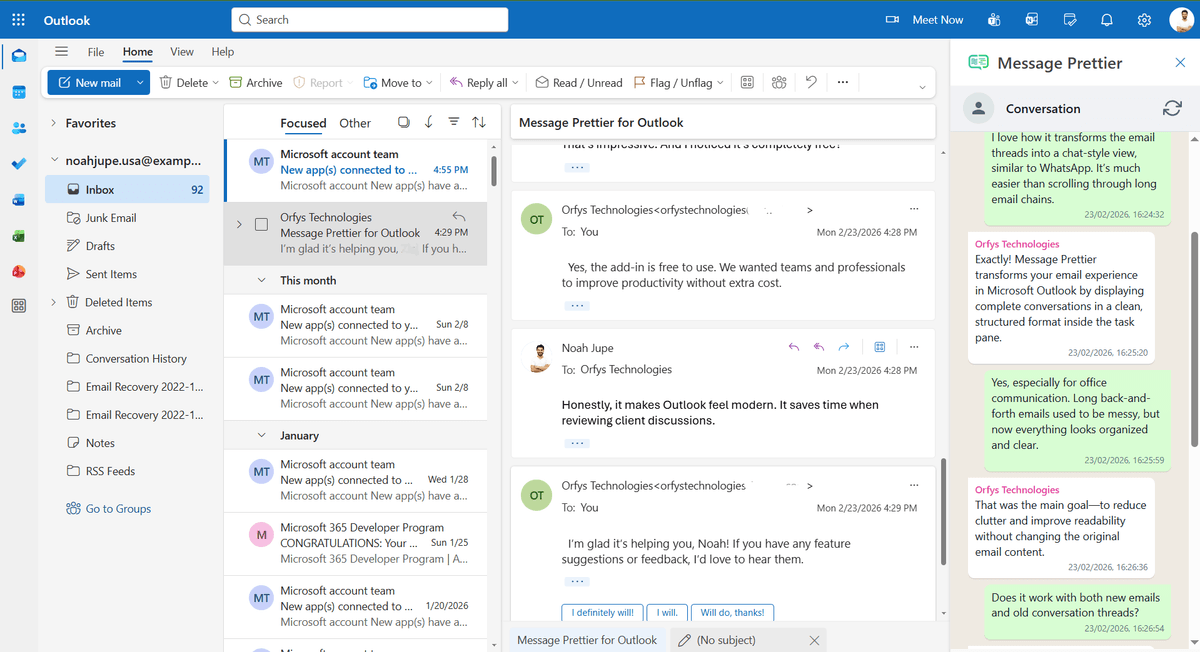
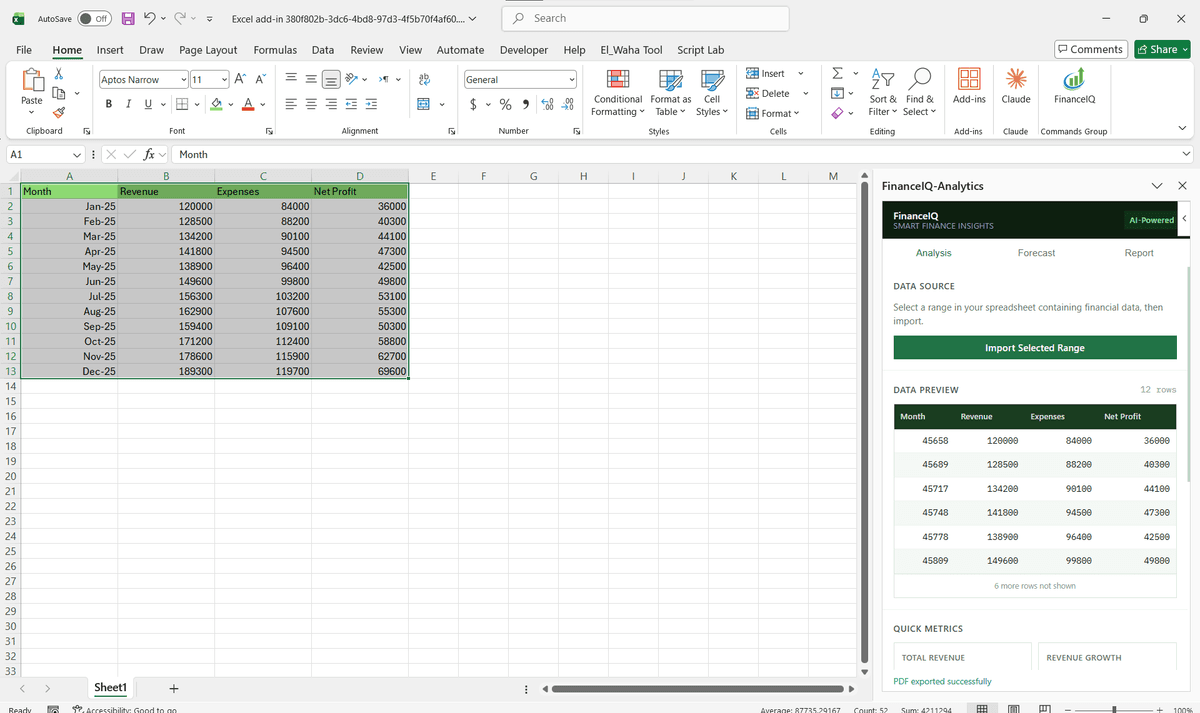
Featured Solutions & Interfaces
Driving Real Business
Value with VSTO Add-in Development
Don't just add features. Solve bottlenecks. Our custom solutions are engineered to reduce manual effort by up to 40% and ensure 100% data accuracy.
Cost Reduction
Automate repetitive tasks and eliminate manual data entry.
Native Experience
Add-ins look and feel like part of the original Microsoft app.
Centralized Deployment
Deploy instantly via Microsoft 365 Admin Center.
Data Security
Inherit Microsoft's enterprise-grade security protocols.
Our Tech Stack
The frameworks, cloud platforms, and AI models we build Office add-ins and integrations on.

Industry-Specific Solutions
We tailor our Microsoft development expertise to meet the unique compliance and workflow requirements of your sector.

Finance & Banking
Pricing, reporting, and compliance tools built into desktop Excel and Outlook.











What Our Clients Say
Join 100+ businesses who trust us with their critical Office automation and enterprise add-in development.
"Amazing work. The Excel plugin was built exactly around what I needed and has made the process much faster and easier to manage. Communication was clear throughout, the turnaround was quick, and the final result worked well without needing constant back and forth. They clearly understood the problem."
"MSOfficeAddin truly exceeded expectations in software development, showcasing impeccable professionalism and profound code expertise. Working with the team was a breeze thanks to excellent cooperation and punctual delivery. HIGHLY recommend their services!"
"MSOfficeAddin delivered a flawless software project with incredible attention to detail and professionalism. Working with the team was a breeze as they were consistently responsive and cooperative, all while demonstrating EXCELLENT language fluency. 👍"
Frequently asked questions
Is VSTO deprecated?
What is a COM add-in?
Can you migrate my VSTO add-in to a web add-in?
Will my VSTO add-in still work in the new Outlook for Windows?
Can Office.js add-ins do everything VSTO did?
When should I migrate off VSTO?
Start your VSTO Add-in Development project
Our experts are ready to help you architect and deploy your enterprise solution. Schedule a technical discovery call today.
Talk to us
info@msofficeaddin.com
Response within 24 hours
Consultation
Book a technical discovery call
Global Support
Working with clients across North America, Europe, and Asia.
We've pre-filled this form for the VSTO Add-in Development service. Feel free to edit any field before sending.