
Outlook Add-ins Development
MSOfficeAddin builds custom outlook add-ins using Office.js, React, and TypeScript, from crm for outlook integrations that sync every customer interaction directly from the inbox, to email automation workflows and calendar add-ins that connect Microsoft 365 to your business systems. Whether you need a CRM connector, a support ticketing tool, a Teams-bridging solution, or a cross-platform enterprise deployment, we scope, build, and AppSource-certify it.
Outlook Add-ins Development Overview
MSOfficeAddin is a specialist outlook add-in development company serving enterprise clients across the US, UK, Australia, and EMEA. We build custom Office.js solutions that work consistently across Outlook on Windows, Mac, the web (OWA), and Outlook mobile, giving every user a consistent inbox experience on every device. A frequent requirement is syncing emails, contacts, and meetings straight into a sales pipeline, which we deliver through CRM integration for Outlook.
Every engagement begins with a discovery session to map your email and calendar workflows and identify which Office.js APIs apply. We then design the task pane or contextual panel, build iteratively with live sideloading in your Outlook client, run cross-client QA, and deploy via AppSource or M365 Admin Center rollout, with post-launch Outlook API compatibility monitoring included. The Microsoft Graph API powers these Outlook integrations for mail, calendar, and contacts; see our Microsoft Graph API service. When your Outlook add-in is ready to ship, we also handle AppSource submission and certification through our AppSource publishing service. For AI email drafting and reply suggestions, see our AI-powered Office add-in service.
The sales operations lead at a 70-seat SaaS company tracked a frustrating number: four out of ten customer emails never reached their CRM. Reps meant to log them, then a call ran long, then Friday came. We built a reading pane panel that recognises the sender, shows the matching deal, and files the thread with one click, built on the same plumbing as our HubSpot integration projects. Logging passed 90 percent within a month, and forecast reviews stopped opening with an argument about missing activity. Two details mattered more than the sync itself. The panel signs each rep in silently through Microsoft single sign-on, so there is no password prompt to skip past. And it behaves identically in Outlook on the web, where half the team actually reads mail.
An inbox tool is the right call when the work starts or ends with an email: logging, filing, replying, converting messages into tickets or tasks. It is the wrong one when the workflow only touches mail once a week, where a Power Automate flow costs less and does enough. And if your team has already moved its day into Teams channels, extend Teams instead. We build both and will point you to the cheaper option first.
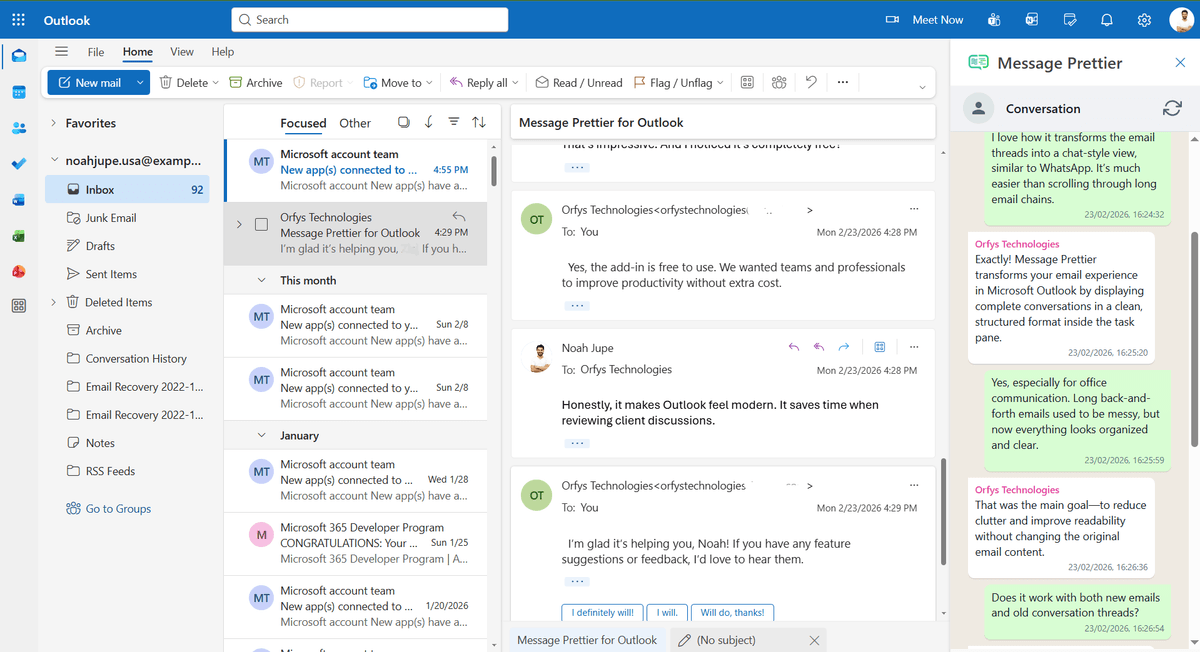
If you want to see our Outlook work before booking a call, install Message Prettier, a free thread-cleanup add-in from our Outlook store. The build itself is documented in its case study.
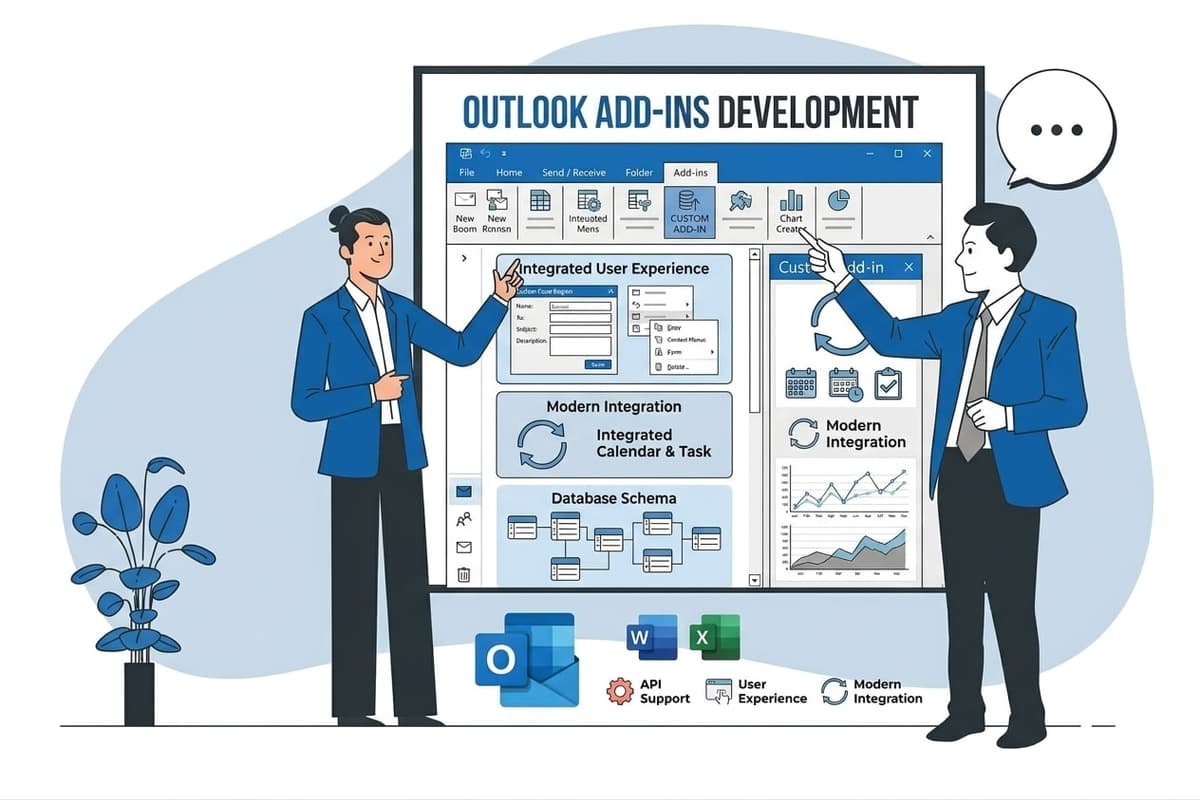
Outlook Add-ins Development Expertise
Our Outlook Add-ins Development Means:
- Office.js contextual panel and task pane architecture
- Azure AD SSO and OAuth2 for enterprise access control
- Microsoft Graph API, mail, calendar, contacts, and OneDrive
- Cross-client testing: Windows, Mac, OWA, and Outlook Mobile
- CRM API integrations: Salesforce, HubSpot, and Dynamics 365
Custom Outlook Add-ins Development Services
CRM Sync Add-ins for Outlook
Enterprise-grade crm sync add-ins for outlook solutions built on the latest Microsoft frameworks.
Email Automation Add-ins
Enterprise-grade email automation add-ins solutions built on the latest Microsoft frameworks.
Email Tracking & Parsing Add-ins
Enterprise-grade email tracking & parsing add-ins solutions built on the latest Microsoft frameworks.
Calendar Integration & Scheduling Add-ins
Enterprise-grade calendar integration & scheduling add-ins solutions built on the latest Microsoft frameworks.
Task & Ticketing Add-ins
Enterprise-grade task & ticketing add-ins solutions built on the latest Microsoft frameworks.
Types of Outlook Add-ins Development We Build
Office.js Outlook Development
Full-stack outlook add-in development on Microsoft's modern JavaScript API, task pane, contextual panel, and UI-less add-ins that run cross-platform on Windows, Mac, web, and mobile.
CRM Integration
Connect crm for outlook workflows, log emails, sync contacts, and update deal stages in Salesforce, HubSpot, and Dynamics 365 without switching out of the inbox.
Email Workflow Automation
Automate outlook emails with rule-based triggers, email tracking, dynamic template injection, and inbound email parsing, cutting manual email handling across sales, support, and ops teams.
Calendar Add-ins
Custom Outlook calendar add-ins for scheduling automation, meeting intelligence, resource booking, and cross-system sync integrated with your business workflows.
Azure AD SSO & Auth
Enterprise authentication via Azure Active Directory, SSO login, role-based access control, and Microsoft Graph API permissions wired into every add-in from day one.
Teams Integration
Bridge Outlook and Teams with a microsoft teams addin for outlook, surface channel threads, assign tasks, and escalate emails to Teams without leaving the inbox.
Driving Real Business
Value with Outlook Add-ins Development
Don't just add features. Solve bottlenecks. Our custom solutions are engineered to reduce manual effort by up to 40% and ensure 100% data accuracy.
Cost Reduction
Automate repetitive tasks and eliminate manual data entry.
Native Experience
Add-ins look and feel like part of the original Microsoft app.
Centralized Deployment
Deploy instantly via Microsoft 365 Admin Center.
Data Security
Inherit Microsoft's enterprise-grade security protocols.
Our Tech Stack
The frameworks, cloud platforms, and AI models we build Office add-ins and integrations on.



Industry-Specific Solutions
We tailor our Microsoft development expertise to meet the unique compliance and workflow requirements of your sector.

Legal
Legal professionals use Outlook add-ins to flag matter deadlines, log billable hours, and file emails to their document management system, all from the reading pane.










What Our Clients Say
Join 100+ businesses who trust us with their critical Office automation and enterprise add-in development.
"Amazing work. The Excel plugin was built exactly around what I needed and has made the process much faster and easier to manage. Communication was clear throughout, the turnaround was quick, and the final result worked well without needing constant back and forth. They clearly understood the problem."
"MSOfficeAddin truly exceeded expectations in software development, showcasing impeccable professionalism and profound code expertise. Working with the team was a breeze thanks to excellent cooperation and punctual delivery. HIGHLY recommend their services!"
"MSOfficeAddin delivered a flawless software project with incredible attention to detail and professionalism. Working with the team was a breeze as they were consistently responsive and cooperative, all while demonstrating EXCELLENT language fluency. 👍"
Frequently asked questions
What are Outlook add-ins?
What are add-ins in Outlook?
What are COM add-ins in Outlook?
What are COM add-ins?
How do I hire an Outlook add-in developer?
What is the difference between hiring a freelance Outlook developer and an agency?
Can you build a custom Outlook plugin for email automation?
Do you build Outlook add-ins for specific industries like legal or healthcare?
Can you integrate an Outlook add-in with the Microsoft Graph API?
Can you help publish an Outlook add-in to Microsoft AppSource?
Do these extensions work with shared mailboxes?
What happens to the panel when Microsoft updates Outlook?
Explore Related Solutions
Complement your current ecosystem with our other specialized Microsoft development services.
Start your Outlook Add-ins Development project
Our experts are ready to help you architect and deploy your enterprise solution. Schedule a technical discovery call today.
Talk to us
info@msofficeaddin.com
Response within 24 hours
Consultation
Book a technical discovery call
Global Support
Working with clients across North America, Europe, and Asia.
We've pre-filled this form for the Outlook Add-ins Development service. Feel free to edit any field before sending.