Microsoft Teams Apps for HR Departments: Automate Onboarding and Employee Workflows
HR directors and enterprise IT leads look for custom Microsoft Teams apps because their organization already runs on Teams all day, yet most HR processes still happen over email and paper forms. HR teams at mid-size companies process hundreds of manual requests every month: leave approvals, onboarding checklists, policy acknowledgments, and survey responses. Each one is a thread to chase or a form to re-key. A custom Teams app moves that work into the tool employees already have open, so requests get made, approved, and tracked in one place. This guide covers what Teams apps do for HR, the use cases for onboarding, leave management, and internal communication, and what to look for when you hire a developer to build one.
The short version
A custom Teams app moves leave requests, onboarding, approvals, and policy sign-offs into the tool your team already has open all day. Requests get made, approved, and tracked in one place instead of scattered across email.
What Custom Microsoft Teams Apps Can Do for HR Teams
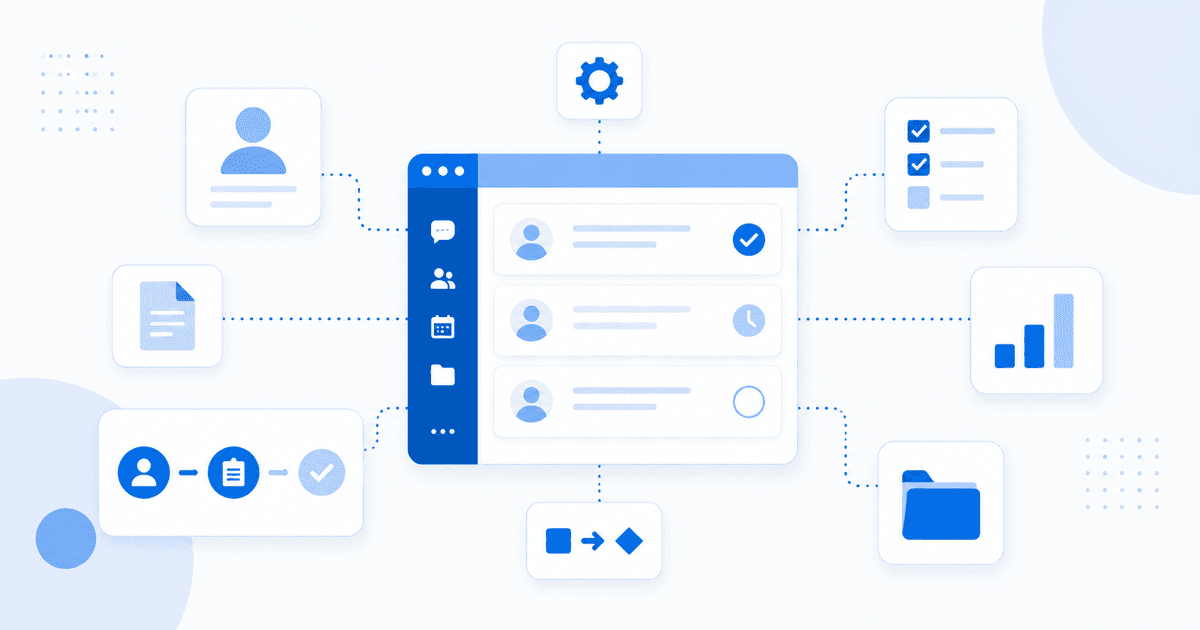
Custom Teams apps move HR's manual, email-bound processes into structured workflows inside Teams. They automate onboarding with tabs that guide new hires through tasks, document signing, and introductions. They handle leave and absence management, letting employees request, managers approve, and HR track time off without leaving Teams. They run employee surveys and pulse checks with built-in survey tabs and response tracking. They handle policy acknowledgment by pushing documents and capturing sign-off directly in Teams. The reason Teams is the right channel: Microsoft reports that Teams has over 320 million monthly active users, which makes it the most practical place to reach employees where they already work rather than asking them to log into yet another HR portal.
By the numbers
Microsoft reports that Teams has over 320 million monthly active users, which makes it the most practical place to reach employees where they already work.
Teams Onboarding Apps for Enterprise HR
A Teams onboarding app gives a new hire a single, guided place to start. Tab apps display onboarding checklists, training materials, and required document uploads, so day one is a clear list rather than a scavenger hunt. A bot can drive the process through conversation, walking the new hire through each first-day task and answering common questions. Behind the scenes, the app integrates with SharePoint for document storage and with the HR system, whether that is Workday, BambooHR, or SAP SuccessFactors, through the Graph API and the HR platform's own API. Adaptive cards keep task completion structured inside Teams chat, so progress is captured as the new hire works. Our Microsoft Teams app development page covers how these builds are structured.
Connects to your HR system
Teams apps connect to Workday, BambooHR, and SAP SuccessFactors through their REST APIs, pulling employee data, syncing leave balances, and pushing status updates back to the HR system automatically.
Leave Management and Approval Workflows in Teams
A custom Teams tab app replaces email-based leave requests with a clear, trackable workflow. An employee submits a request in the app, and the manager receives an adaptive card in Teams to approve or reject with one click. Approved leave is then blocked automatically in the Microsoft 365 calendar through the Graph API, so availability stays accurate without manual entry. For HR, a dashboard tab shows leave balances and team availability at a glance. The result is fewer lost requests, faster approvals, and a record that lives in one system instead of scattered across inboxes.
Teams Apps for Internal Communication and Announcements
Teams apps give HR a structured way to communicate and gather feedback inside the platform employees already use. A messaging extension lets HR post structured announcements with rich formatting from a custom tool rather than a plain chat message. Targeted channel notifications through the Graph API push the right message to specific departments or locations instead of blasting everyone. Survey and feedback collection happens inside Teams channels without a separate tool, and responses are tracked automatically. For policy and news distribution, the app integrates with a SharePoint intranet so a single source of truth feeds both Teams and the portal. See our SharePoint development work for how the intranet side connects.
What to Look for When Hiring a Teams App Developer for HR
Hire a developer who knows the Teams platform and the systems HR runs on. The must-haves are hands-on Microsoft Teams JavaScript SDK experience, Graph API knowledge for calendar, user, and mail integration, and familiarity with HR system APIs like Workday, BambooHR, and SAP SuccessFactors. Ask about adaptive card design, since approval and form workflows live or die on how clean those cards are. Confirm Teams app publishing experience as well, whether that is the Teams Store or org-wide deployment through the admin center, because a polished app that cannot be deployed cleanly helps no one.
Watch for this
Approval and form workflows in Teams live or die on adaptive card design. Confirm your developer has built these before, or the cards will feel clunky to the people who use them every day.
Can a custom Teams app replace our email-based HR request process?
Yes. Custom Teams tab apps and bots handle leave requests, approvals, onboarding tasks, and policy acknowledgments entirely within Teams, removing the back-and-forth email threads and the requests that get lost in them.
Can a Teams HR app integrate with Workday or BambooHR?
Yes. Teams apps connect to Workday, BambooHR, and SAP SuccessFactors through their REST APIs, pulling employee data, syncing leave balances, and pushing status updates back to the HR system automatically.
How are custom Teams apps deployed to our organization?
IT admins deploy custom Teams apps org-wide through the Microsoft Teams admin center. The app appears for all users in your tenant without individual installation, and you can restrict it to specific departments or groups.
Can a Teams bot guide new hires through the onboarding process?
Yes. A Teams bot built with the Bot Framework SDK can send onboarding tasks as adaptive cards, track completion, answer common HR questions, and escalate to a human HR rep when needed.
Employee Data Privacy Inside a Teams App
An HR app sees data most Teams apps never touch: salary bands on offer approvals, medical context in leave requests, performance notes in onboarding follow-ups. That raises questions a generic Teams tutorial never answers. The first is visibility. A leave request card posted to a channel is readable by everyone in that channel, so approval flows for anything sensitive should run through personal chat scopes or a private tab, not a team channel. The second is permissions. The app authenticates through Microsoft Entra and requests Microsoft Graph scopes, and HR apps should request the narrowest set that works; an onboarding app that asks for organization-wide mail access will, quite rightly, get stuck in IT review. The third is retention. HR data often has legally mandated retention periods that differ by country, and chat-based workflows create copies: the card in the conversation, the record in the backend, the notification in the activity feed. Decide at design time which one is the system of record and make the others reference it rather than duplicate it. For European organizations, works council and GDPR obligations usually mean documenting exactly what the app stores before rollout, not after; our Germany page describes how we handle this for German clients. The workflows on our HR and recruiting page were all shaped by at least one of these three constraints.
Need this built for your team?
We build Microsoft Teams add-ins for HR workflows for HR and enterprise teams like yours. Get a free 24-hour scoping call.
If your HR team is scoping a Teams automation project, a discovery call is the right starting point to map your HR systems, your approval flows, and the manual processes worth automating first.