AI Integration for Excel and Outlook Add-ins
Add Claude, ChatGPT, or any LLM directly inside Excel or Outlook. We build the add-in layer that sends data to AI models and returns results without leaving Microsoft 365.
Integration at a Glance
250+ Projects
delivered across integration builds
7 Integration Types
SAP, AI, CRM, Power BI and more
5+ Years
building Office add-in integrations
Free Discovery Call
to scope your integration project
What We Build Into Your AI Integration
OpenAI & Claude Integration
We connect Excel, Outlook, and Word add-ins to OpenAI GPT models and Anthropic Claude via their APIs, with proper prompt engineering and response parsing.
Azure OpenAI Support
For organisations that require data to stay within Microsoft Azure, we integrate add-ins with Azure OpenAI endpoints instead of public APIs.
Prompt Engineering Built In
We design the prompts, not just the API calls. System prompts, context injection, and output formatting are part of what we deliver.
Streaming Responses
For long AI outputs, we implement token streaming so users see results appearing in real time rather than waiting for a full response.
Data Privacy Controls
We build opt-in data sharing, PII stripping, and audit logging so your AI integration meets internal compliance requirements.
Custom Model Endpoints
Using a self-hosted or fine-tuned model? We connect Office add-ins to any HTTP-accessible model endpoint, not just public AI APIs.
How the Integration Project Works
- 1
Use Case Definition
We define exactly what the AI does inside Office, what input it receives, what output it returns, and where that output appears in Excel, Outlook, or Word.
- 2
Model & Endpoint Selection
We confirm which AI model fits your use case and data sensitivity requirements, whether a public API, Azure OpenAI, or a self-hosted endpoint.
- 3
Prompt Engineering
We design and test the system prompt, context injection strategy, and output format so the model returns structured, usable results every time.
- 4
Add-in Build & Streaming
We build the Office.js add-in with streaming support where needed, loading states, and error handling for API timeouts or content policy rejections.
- 5
Testing & Deployment
We test across input edge cases, deploy via Admin Center or AppSource, and document the prompt and API configuration for your team.
Our Tech Stack
The frameworks, cloud platforms, and AI models we build Office add-ins and integrations on.



















Industry-Specific Solutions
We tailor our Microsoft development expertise to meet the unique compliance and workflow requirements of your sector.

Finance & Banking
We add AI summarisation and anomaly detection inside Excel so analysts review large datasets faster.

Legal
We build clause extraction and document review add-ins so legal teams cut hours of manual reading in Word.

Healthcare
We add AI drafting and summarisation behind privacy controls that keep patient data within approved boundaries.

HR & Recruiting
We add AI screening and summarisation in Excel so recruiters process candidate data at scale.
Featured Solutions & Interfaces
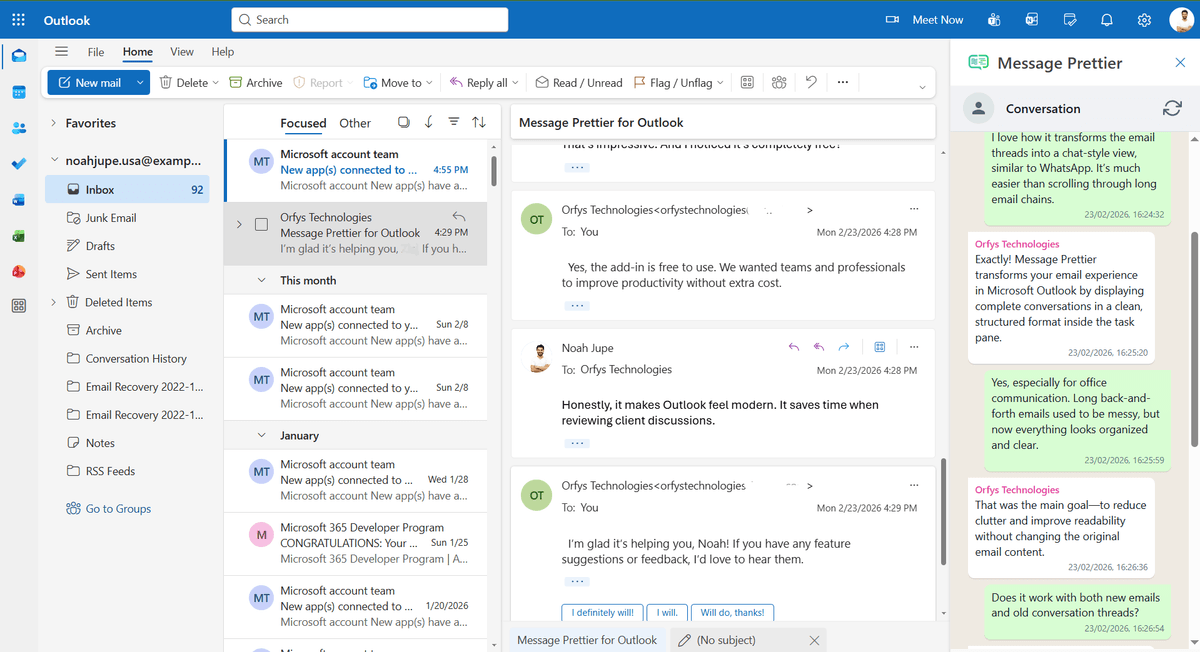
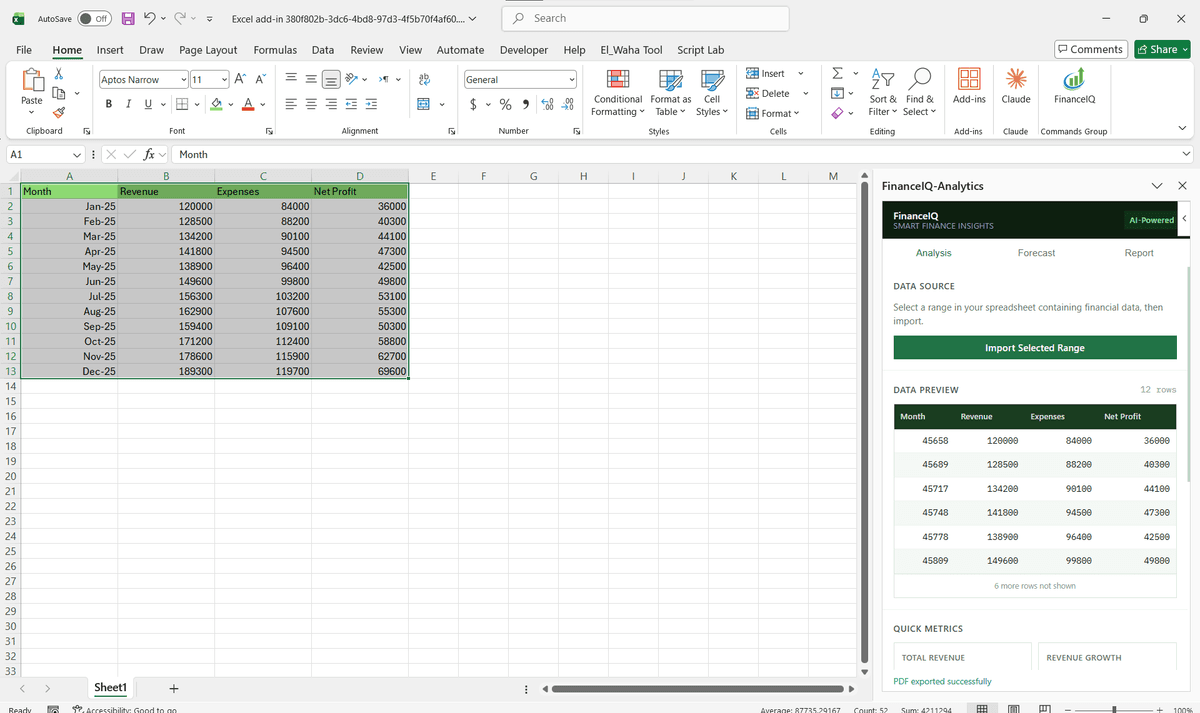
Nine thousand survey verbatims, one insights team
The first attempt was a graduate analyst with a highlighter. A consumer research agency had 9,000 open-text survey responses per study and a coding process that took two people most of a week, so themes arrived after the client presentation was already drafted. We built the model layer into their existing Excel workflow instead: select the verbatim column, choose a codeframe, and the add-in sends batched rows to the model endpoint, writing theme, sentiment, and a confidence score into adjacent columns.
Anything under the confidence threshold routes to a human, which turned out to be roughly one row in eight. Coding a study now takes an afternoon, and the agency kept its methodology, because the codeframes are theirs rather than the model's. The same pattern, applied to drafting rather than tagging, is what our AI-powered Office add-in work covers.
When you do not need a custom AI build
General drafting help does not justify custom work; a Copilot licence per user gets you that with no project at all. A custom build makes sense when the model needs your codeframes, your data, or your compliance boundary, and when outputs must land in specific cells or fields rather than a chat window. If your data cannot leave your tenant and there is no budget for a private endpoint, pause the project rather than compromise on that point.
AI Integration: Common Questions
Yes. We build Excel add-ins that send selected cell data or worksheet content to Claude, ChatGPT, or any other LLM and write the AI response back into the spreadsheet.
Ready to Connect AI to Microsoft 365?
We scope every integration project on a free discovery call. No commitment, just a clear picture of what the build involves and what it will cost.