CRM Integration for Outlook and Excel Add-ins
Connect Salesforce, HubSpot, or Dynamics 365 to Outlook and Excel. We build CRM add-ins that log emails, sync contacts, and surface deal data without leaving Microsoft 365.
Integration at a Glance
250+ Projects
delivered across integration builds
7 Integration Types
SAP, AI, CRM, Power BI and more
5+ Years
building Office add-in integrations
Free Discovery Call
to scope your integration project
What We Build Into Your CRM Integration
Salesforce Integration
We connect Outlook and Excel add-ins to Salesforce via REST API, surfacing contacts, opportunities, and activity history directly inside Microsoft 365.
HubSpot Integration
We integrate Office add-ins with HubSpot CRM, pulling contact timelines, deal stages, and company data into Outlook and Excel.
Dynamics 365 Integration
We connect Office add-ins to Dynamics 365 via the Dataverse Web API, the native integration path for Microsoft's own CRM platform.
Email Logging
We build one-click email logging so sales reps log Outlook emails to CRM records without leaving their inbox or copying email content manually.
Contact & Deal Sync
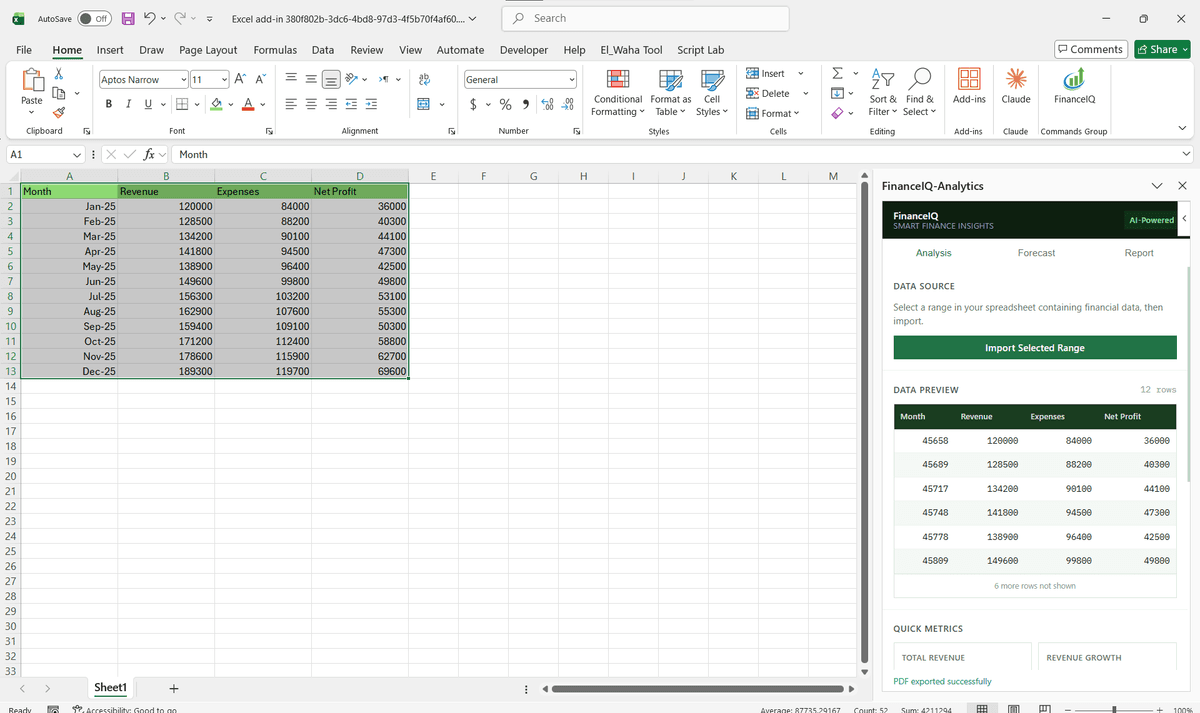
We sync CRM contact and deal data into Excel on demand or on a schedule so reporting teams always work with current pipeline numbers.
Two-Way Data Updates
Read CRM data into Excel or Outlook and write updates back, changing deal stages, adding notes, or creating new contacts without opening the CRM.
How the Integration Project Works
- 1
CRM & Workflow Review
We map which CRM objects your team needs inside Outlook or Excel, such as contacts, deals, activities, and companies, and confirm API access and authentication method.
- 2
Auth & API Connection
We implement OAuth 2.0 for your CRM platform and establish a stable API connection tested against your live or sandbox CRM environment.
- 3
Field Mapping
We map CRM field names and data structures to what displays in Outlook or Excel, surfacing the right contact, deal, and activity fields your team actually uses.
- 4
Add-in Build & Testing
We build the Office.js contextual add-in for Outlook or task pane for Excel, test email logging, contact lookup, and deal sync across real CRM records.
- 5
Deployment & Training
We deploy via Microsoft Admin Center, confirm the add-in works across Outlook web and desktop, and provide a short usage guide for your sales team.
Our Tech Stack
The frameworks, cloud platforms, and AI models we build Office add-ins and integrations on.



















Industry-Specific Solutions
We tailor our Microsoft development expertise to meet the unique compliance and workflow requirements of your sector.

Professional Services & Consulting
We connect CRM client and project records to Outlook so account teams log work without switching tools.

Real Estate
We bring CRM leads, listings, and deal stages into Outlook so agents respond from email.

Finance & Banking
We surface client and relationship data from the CRM inside Outlook for advisory and account teams.

HR & Recruiting
We connect candidate and client records so recruiters log emails and update stages from Outlook.
Featured Solutions & Interfaces
Related reading
Guides from our team on building and integrating Office add-ins.
The renewal that almost walked out the door
The managing director of a 45-person insurance brokerage found out by accident that a renewal worth roughly a fifth of annual revenue had nearly lapsed: the reminder lived in a departed account manager's inbox. Their Dynamics 365 records were technically complete and practically abandoned, because brokers worked entirely in Outlook and treated the CRM as an end-of-quarter chore.
We built a reading pane panel that does the CRM's asking for them. Open a client email and the panel shows the policy book, renewal dates, and last logged contact; filing the thread or updating a renewal stage is one click, through the same Outlook add-in patterns we use everywhere. Renewal reminders now escalate to a second broker automatically when the owner does not act within a set window. Nobody at the brokerage claims CRM adoption improved. What they say is that renewals stopped depending on who happens to remember them.
When the vendor's own plugin is enough
Every major CRM ships its own Outlook extension, and for plain email logging against standard objects those are free and adequate; try them before commissioning anything custom. A build like ours pays when your pipeline uses custom objects and required fields the stock plugin ignores, or when the workflow spans Outlook and Excel together. And if the honest problem is that nobody fills in the CRM, that is a management question first; software cannot supply the habit.
CRM Integration: Common Questions
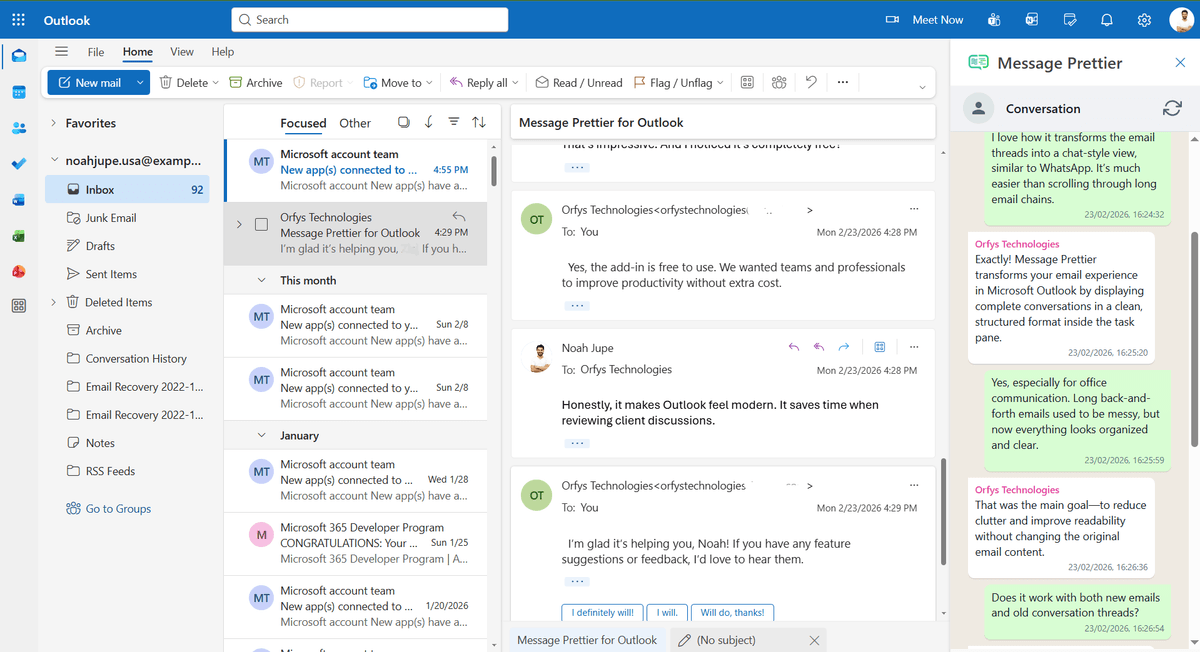
Yes. We build Outlook contextual add-ins that detect the sender's email address, query Salesforce via API, and display the matching contact record, deal stage, and recent activity in the Outlook task pane.
Ready to Connect CRM to Microsoft 365?
We scope every integration project on a free discovery call. No commitment, just a clear picture of what the build involves and what it will cost.