Authentication & Identity
We build the authentication layer for Office add-ins, including Microsoft SSO, OAuth 2.0, Azure AD app registration, and multi-tenant identity. Your users sign in once and the add-in handles everything else.
Authentication & Identity Overview
Authentication is the part of an Office add-in project that looks simple and isn't. Getting a token from Microsoft is straightforward. Getting the right token, with the right permissions, working across all Office clients, with a proper fallback for environments where SSO fails, takes experience.
We build authentication for Office add-ins as a standalone service and as part of larger Office add-in development projects. The most common starting point is Microsoft SSO via Office.js and MSAL, with an Azure AD app registration configured correctly for the add-in context. From there, the scope depends on what the add-in needs to access: Microsoft Graph for 365 data, a third-party API with its own OAuth 2.0 flow, or a multi-tenant setup for ISVs distributing to multiple enterprise customers.
In five years of building Office add-ins, we have seen every authentication edge case: the Office version that doesn't support getAccessToken, the enterprise tenant with Conditional Access policies that block popup flows, the multi-tenant ISV whose add-in needs to work across hundreds of customer tenants without per-tenant configuration. We have built solutions for all of them.
If your add-in needs to know who the user is, what they have access to, or how to call a protected API on their behalf, authentication is where the project starts.
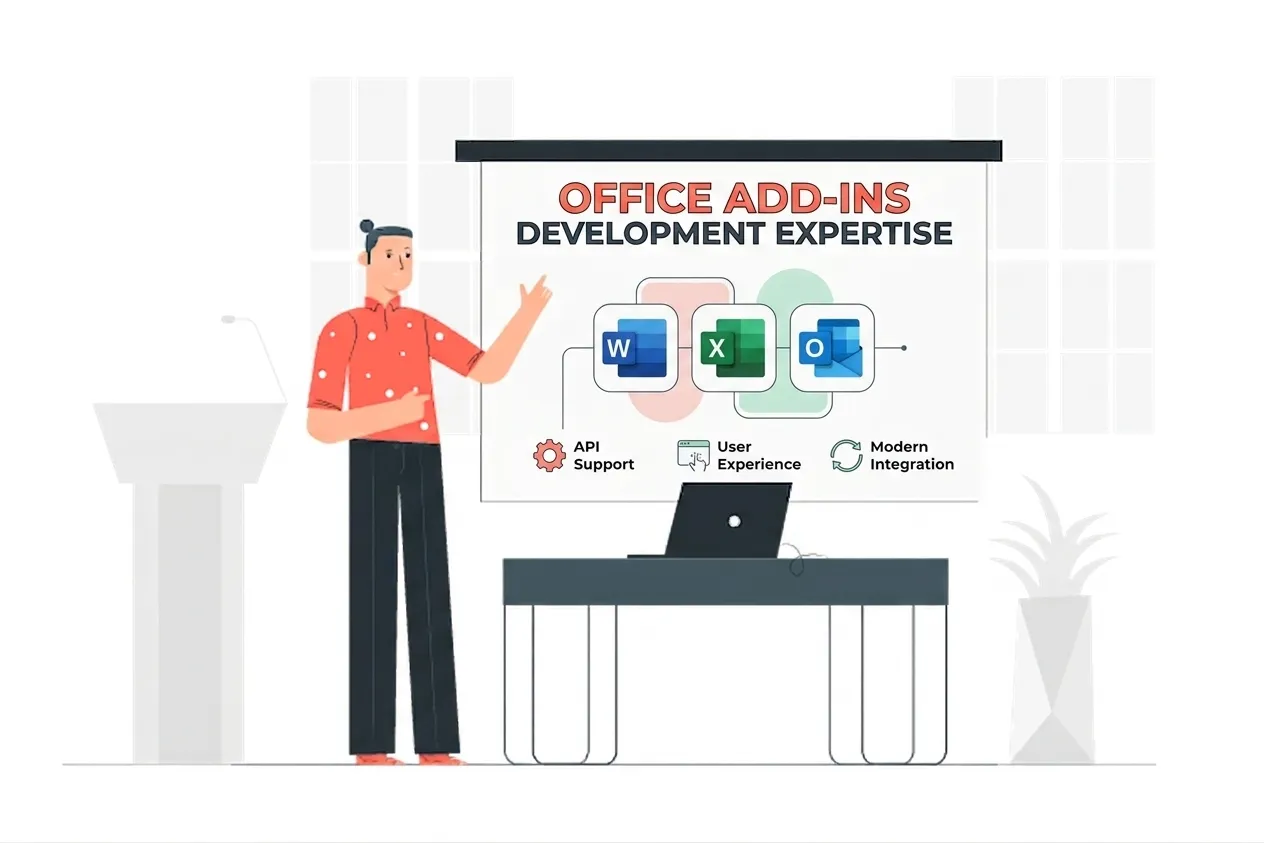
Authentication & Identity Expertise
Our Authentication & Identity Means:
- Microsoft Entra ID (Azure AD)
- Office.js SSO & getAccessToken
- MSAL.js & MSAL Node
- OAuth 2.0 Authorization Code Flow
- On-Behalf-Of (OBO) Flow
- Microsoft Graph Permissions
- Multi-Tenant App Architecture
- Admin Consent & Conditional Access
- JWT Token Validation
- Fallback Auth Dialog Implementation
Custom Authentication & Identity Services
Microsoft SSO via Office.js
Enterprise-grade microsoft sso via office.js solutions built on the latest Microsoft frameworks.
Azure AD App Registration
Enterprise-grade azure ad app registration solutions built on the latest Microsoft frameworks.
OAuth 2.0 & MSAL Implementation
Enterprise-grade oauth 2.0 & msal implementation solutions built on the latest Microsoft frameworks.
Microsoft Graph Permissions
Enterprise-grade microsoft graph permissions solutions built on the latest Microsoft frameworks.
Multi-Tenant Identity Architecture
Enterprise-grade multi-tenant identity architecture solutions built on the latest Microsoft frameworks.
Admin Consent Workflows
Enterprise-grade admin consent workflows solutions built on the latest Microsoft frameworks.
Fallback Auth Dialog
Enterprise-grade fallback auth dialog solutions built on the latest Microsoft frameworks.
Token Caching & Refresh
Enterprise-grade token caching & refresh solutions built on the latest Microsoft frameworks.
Types of Authentication & Identity We Build
Microsoft SSO via Office.js
We implement SSO using the Office.js getAccessToken API and MSAL so users authenticated in Office are automatically authenticated in your add-in, with no separate login screen.
Azure AD App Registration
We register your add-in in Microsoft Entra ID with the correct redirect URIs, app manifest settings, and API permissions so the auth flow works in every Office client.
OAuth 2.0 & MSAL Implementation
We implement the correct OAuth 2.0 flow for your add-in scenario: authorization code with PKCE, On-Behalf-Of for Graph access, or client credentials for app-only access.
Microsoft Graph Permissions
We select the minimum Graph scopes your add-in needs, configure delegated or application permissions correctly, and set up admin consent so IT teams can approve during deployment.
Multi-Tenant Identity Architecture
We build multi-tenant auth for ISVs whose add-ins deploy across multiple enterprise customers: one codebase, per-tenant token isolation, and no per-customer configuration overhead.
Admin Consent Workflows
We configure the admin consent redirect flow so IT administrators can approve your add-in's permissions in bulk during Microsoft Admin Center deployment.
Fallback Auth Dialog
We always build a fallback authentication dialog for Office environments where SSO is unavailable: older desktop versions, certain web configurations, and guest accounts.
Token Caching & Refresh
We implement server-side token caching and automatic refresh logic so users authenticate once and stay connected without interruption across long working sessions.
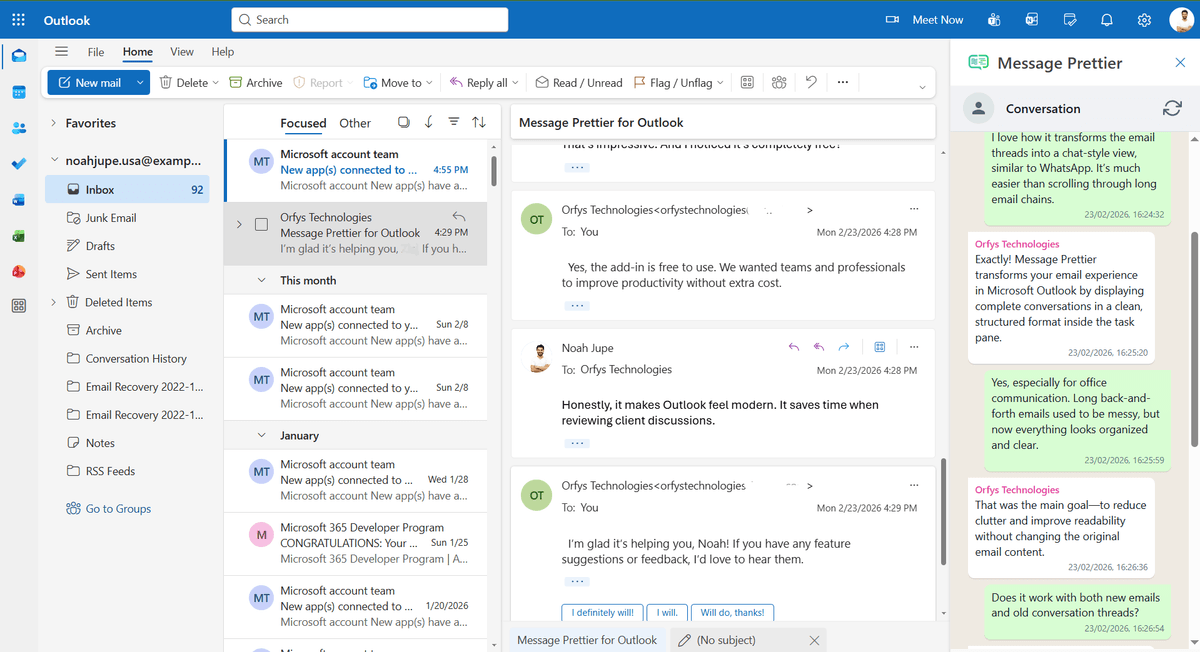
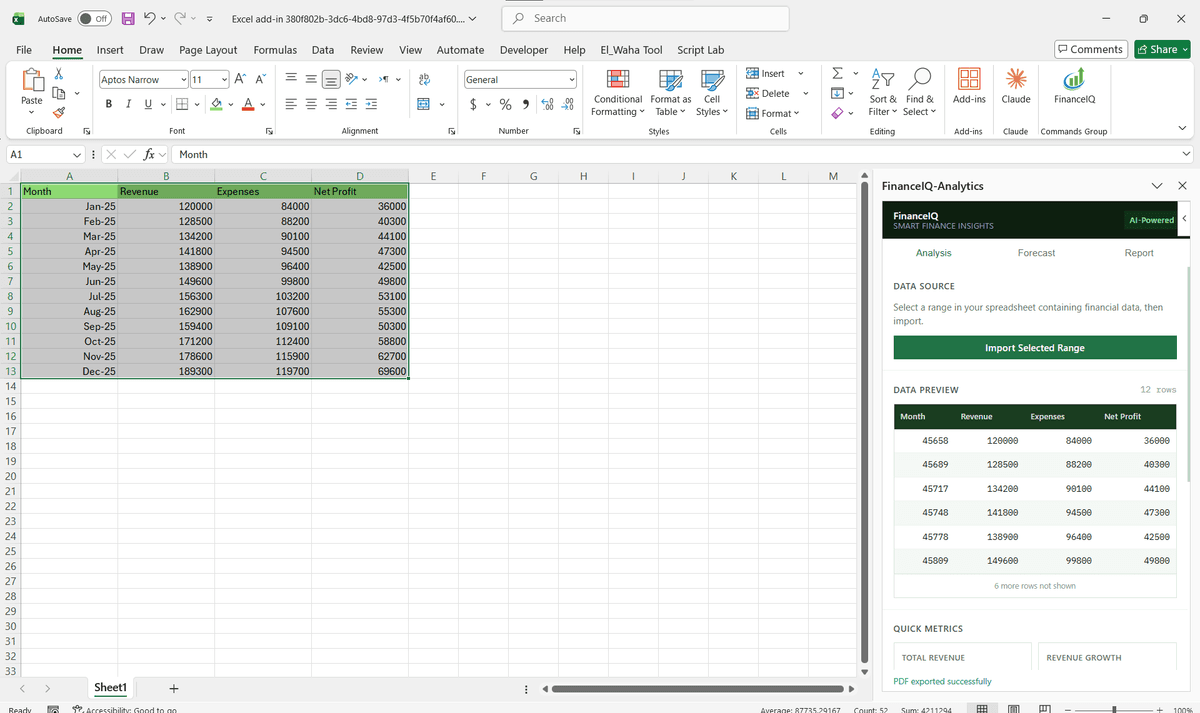
Featured Solutions & Interfaces
Driving Real Business
Value with Authentication & Identity
Don't just add features. Solve bottlenecks. Our custom solutions are engineered to reduce manual effort by up to 40% and ensure 100% data accuracy.
Cost Reduction
Automate repetitive tasks and eliminate manual data entry.
Native Experience
Add-ins look and feel like part of the original Microsoft app.
Centralized Deployment
Deploy instantly via Microsoft 365 Admin Center.
Data Security
Inherit Microsoft's enterprise-grade security protocols.
Our Tech Stack
The frameworks, cloud platforms, and AI models we build Office add-ins and integrations on.



Industry-Specific Solutions
We tailor our Microsoft development expertise to meet the unique compliance and workflow requirements of your sector.

Finance & Banking
We build SSO and Graph auth for finance add-ins so users sign in with Microsoft 365 under strict access controls.

Legal
We secure document and client-data add-ins with Microsoft SSO and role-based access tied to Azure AD groups.

Healthcare
We implement auth with admin consent and least-privilege scopes so health add-ins keep access tightly controlled.

HR & Recruiting
We connect add-ins to user and group data via secure SSO so HR tools respect org structure and permissions.









What Our Clients Say
Join 100+ businesses who trust us with their critical Office automation and enterprise add-in development.
"Amazing work. The Excel plugin was built exactly around what I needed and has made the process much faster and easier to manage. Communication was clear throughout, the turnaround was quick, and the final result worked well without needing constant back and forth. They clearly understood the problem."
"MSOfficeAddin truly exceeded expectations in software development, showcasing impeccable professionalism and profound code expertise. Working with the team was a breeze thanks to excellent cooperation and punctual delivery. HIGHLY recommend their services!"
"MSOfficeAddin delivered a flawless software project with incredible attention to detail and professionalism. Working with the team was a breeze as they were consistently responsive and cooperative, all while demonstrating EXCELLENT language fluency. 👍"
Frequently asked questions
What authentication method should an Office add-in use?
Do you handle Azure AD app registration as part of the project?
Can you build authentication for an add-in that needs to work across multiple enterprise customers?
What happens in Office environments that do not support SSO?
How long does authentication implementation take?
Related reading
Guides from our team on building and integrating Office add-ins.
Our Authentication & Identity Services
Specialized add-in development for every Microsoft 365 app. Explore each service below.
Start your Authentication & Identity project
Our experts are ready to help you architect and deploy your enterprise solution. Schedule a technical discovery call today.
Talk to us
info@msofficeaddin.com
Response within 24 hours
Consultation
Book a technical discovery call
Global Support
Working with clients across North America, Europe, and Asia.
We've pre-filled this form for the Authentication & Identity service. Feel free to edit any field before sending.