OAuth 2.0 Authentication for Office Add-ins
We implement OAuth 2.0 for Office add-ins connecting to Microsoft 365 or third-party APIs. Authorization code flow, PKCE, token caching, and refresh, built correctly for the Office.js environment.
OAuth 2.0 Authentication for Office Add-ins Overview
OAuth 2.0 is the auth standard behind almost every API an Office add-in might connect to: Microsoft Graph, Salesforce, Google, custom internal APIs, and any SaaS platform built in the last ten years. Implementing it correctly inside an Office add-in is harder than implementing it in a standard web app because the Office task pane is a sandboxed environment with restrictions on how popup windows work, where tokens can be stored, and what happens when the add-in is closed and reopened.
We implement OAuth 2.0 for two main scenarios. The first is Microsoft 365 authentication using the authorization code flow with PKCE via MSAL, the correct flow for add-ins that need to authenticate users against an Azure AD app registration without relying on the SSO getAccessToken approach. The second is third-party OAuth: connecting the add-in to a CRM, Google, HubSpot, or any other OAuth 2.0 provider using the authorization code flow and handling the callback, token storage, and refresh cycle within the Office add-in architecture.
Both scenarios require a server-side component for the token exchange. Storing OAuth tokens in localStorage inside the Office task pane is not secure and fails in some Office environments. We build the server-side token endpoint and caching layer so tokens are handled correctly and the add-in reconnects automatically after a session ends.
Every morning at nine, forty analysts at a market data firm re-authenticated their Excel task pane by hand. The add-in connected to a pricing vendor's OAuth-protected API, and whoever built it had stored tokens in the task pane itself, so each new Office session started logged out. Worse, the vendor's refresh tokens were being discarded. We moved the token exchange to a small server component, cached refresh tokens there keyed to each analyst's identity, and had the pane reconnect silently on open. Sign-in became a once-a-quarter event tied to the vendor's own token expiry policy. The same server layer later absorbed a second provider's custom API connection without touching the auth code again, which is the point of doing the plumbing properly the first time.
OAuth work is worth doing as its own engagement when tokens, refresh cycles, or popup handling are actively failing in an existing add-in, or when a build connects to several providers at once. If your add-in only ever authenticates against Microsoft 365, the standard silent sign-in path covers it and a separate OAuth project would be redundant. We check which situation you are in before quoting anything.
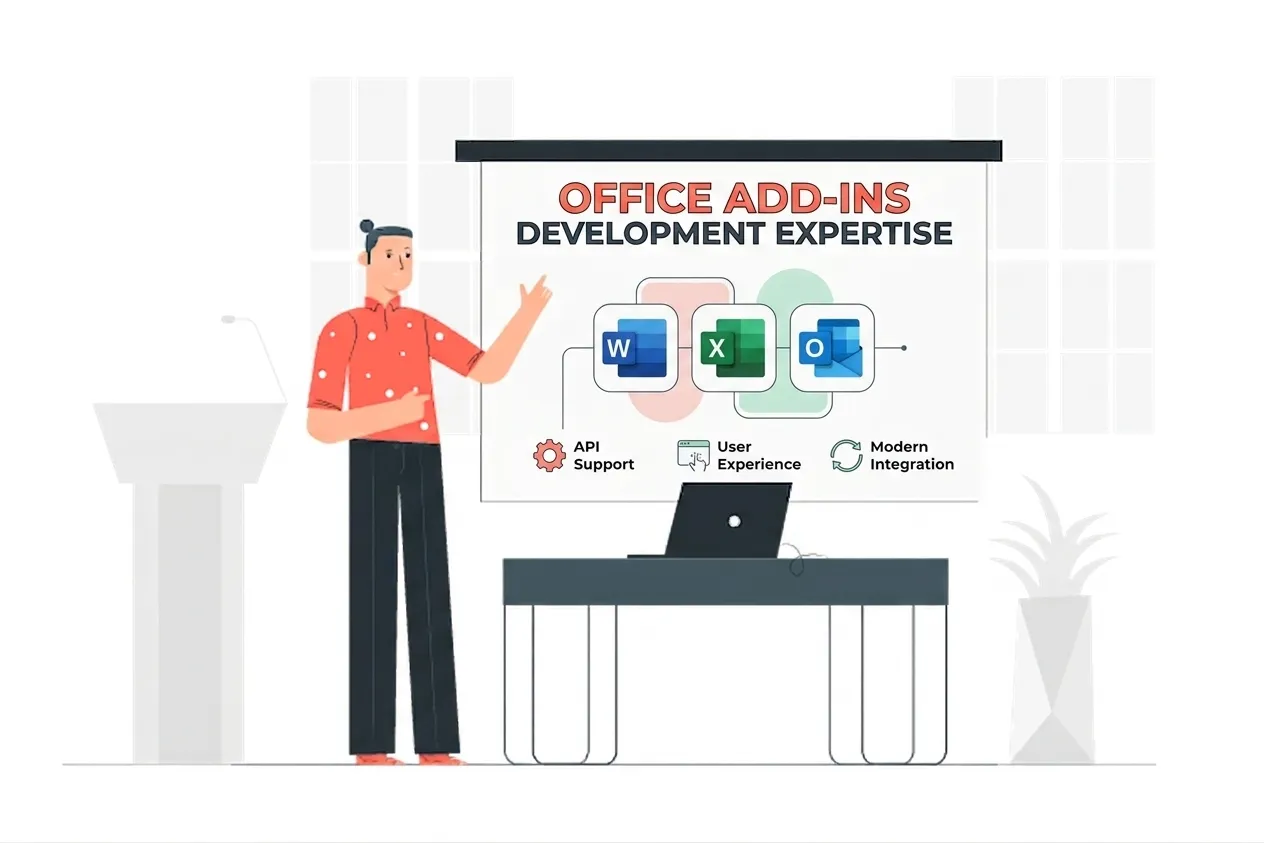
OAuth 2.0 Authentication for Office Add-ins Expertise
Our OAuth 2.0 Authentication for Office Add-ins Means:
- OAuth 2.0 Authorization Code Flow
- PKCE Implementation
- MSAL.js & MSAL Node
- Office.js Dialog API for Auth
- Third-Party OAuth Providers
- Server-Side Token Endpoint
- Token Caching Architecture
- Refresh Token Management
Custom OAuth 2.0 Authentication for Office Add-ins Services
Authorization Code Flow with PKCE
Enterprise-grade authorization code flow with pkce solutions built on the latest Microsoft frameworks.
Third-Party OAuth Integration
Enterprise-grade third-party oauth integration solutions built on the latest Microsoft frameworks.
Server-Side Token Exchange
Enterprise-grade server-side token exchange solutions built on the latest Microsoft frameworks.
Token Caching & Automatic Refresh
Enterprise-grade token caching & automatic refresh solutions built on the latest Microsoft frameworks.
Office.js Popup Auth Handling
Enterprise-grade office.js popup auth handling solutions built on the latest Microsoft frameworks.
MSAL for Azure AD OAuth
Enterprise-grade msal for azure ad oauth solutions built on the latest Microsoft frameworks.
Secure Token Storage
Enterprise-grade secure token storage solutions built on the latest Microsoft frameworks.
Multi-Provider Auth Support
Enterprise-grade multi-provider auth support solutions built on the latest Microsoft frameworks.
Types of OAuth 2.0 Authentication for Office Add-ins We Build
Authorization Code Flow with PKCE
We implement the authorization code flow with PKCE, the correct OAuth pattern for Office add-ins where implicit flow is deprecated and client secrets cannot be stored in the task pane.
Third-Party OAuth
We implement OAuth 2.0 connections to any provider, such as Salesforce, Google, HubSpot, Dropbox, or a custom API, handling the authorization redirect and callback from inside an Office task pane.
Server-Side Token Exchange
We build the server-side endpoint that receives the authorization code, exchanges it for access and refresh tokens, and stores them securely, keeping client secrets off the client.
Token Caching & Refresh
We implement token caching and automatic refresh so the add-in stays authenticated across sessions without asking users to log in again every time they open Office.
Office.js Popup Handling
OAuth requires a popup or redirect for user consent. We implement the Office.js Dialog API for the auth popup so it works correctly inside the Office task pane sandbox.
Multi-Provider Auth
If your add-in connects to multiple OAuth providers, such as Microsoft plus a third-party API, we build the token management layer that handles both independently and correctly.
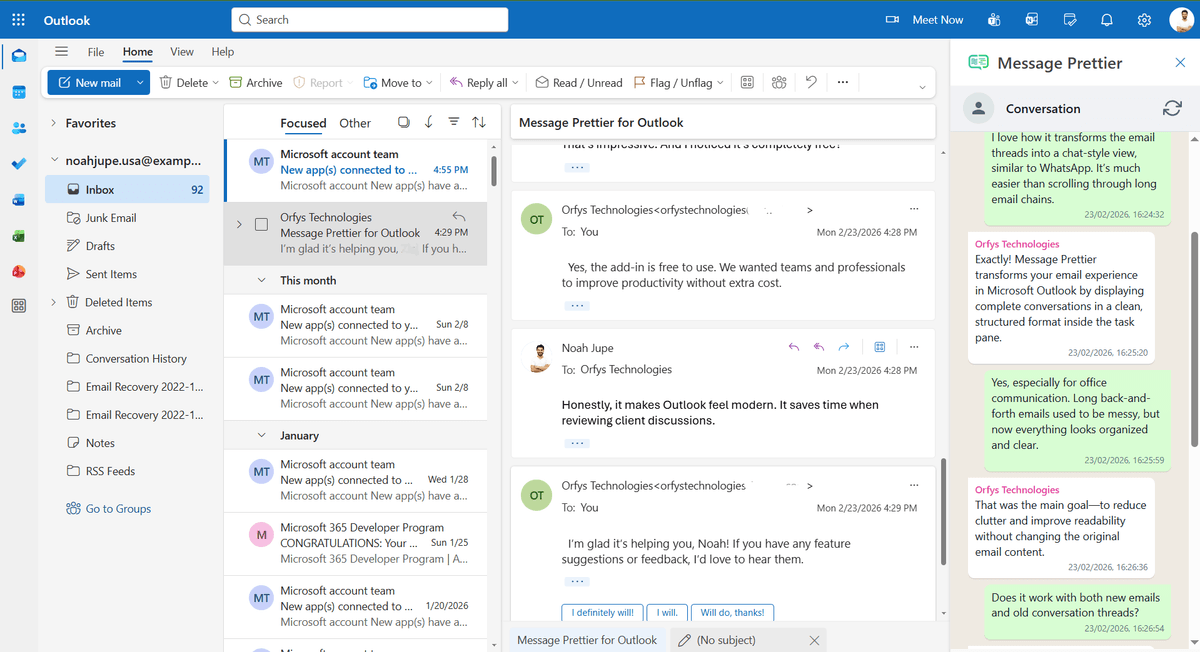
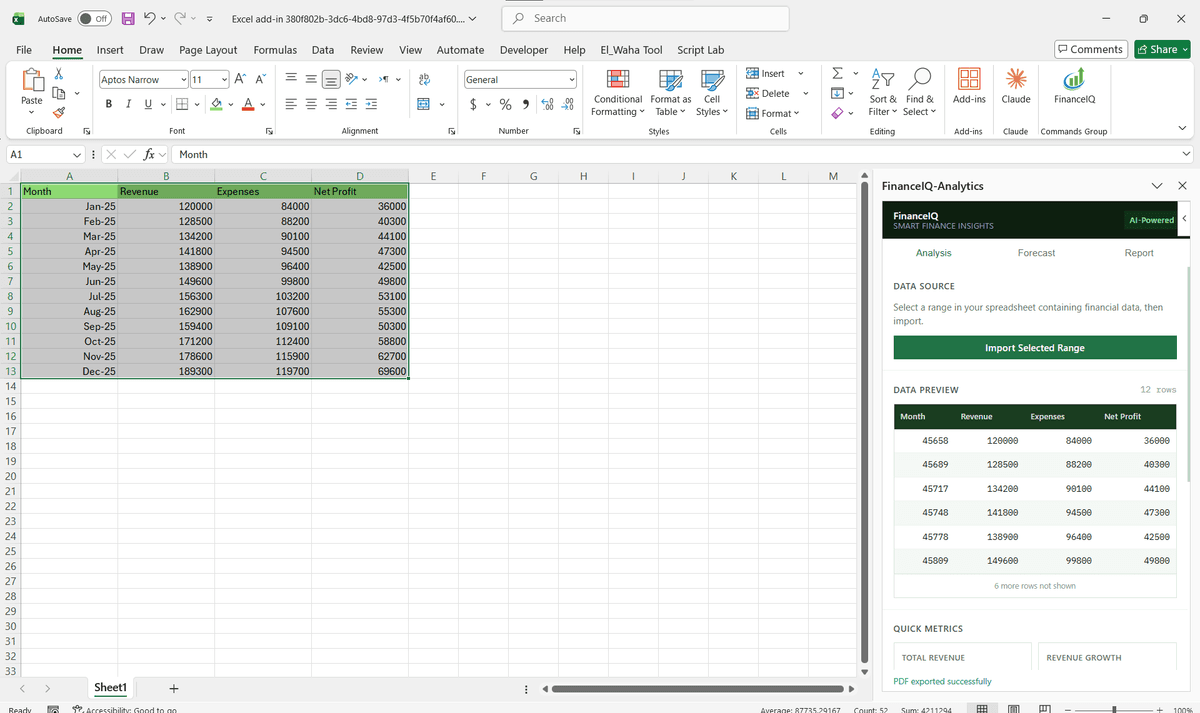
Featured Solutions & Interfaces
Driving Real Business
Value with OAuth 2.0 Authentication for Office Add-ins
Don't just add features. Solve bottlenecks. Our custom solutions are engineered to reduce manual effort by up to 40% and ensure 100% data accuracy.
Cost Reduction
Automate repetitive tasks and eliminate manual data entry.
Native Experience
Add-ins look and feel like part of the original Microsoft app.
Centralized Deployment
Deploy instantly via Microsoft 365 Admin Center.
Data Security
Inherit Microsoft's enterprise-grade security protocols.
Our Tech Stack
The frameworks, cloud platforms, and AI models we build Office add-ins and integrations on.



















Industry-Specific Solutions
We tailor our Microsoft development expertise to meet the unique compliance and workflow requirements of your sector.

Finance & Banking
We implement OAuth against financial APIs and Microsoft 365 so finance add-ins pull data securely.

Professional Services & Consulting
We build OAuth connections to practice and billing systems so consultants work from Excel and Outlook.

Healthcare
We implement OAuth with secure server-side token storage so health add-ins meet access and privacy needs.










What Our Clients Say
Join 100+ businesses who trust us with their critical Office automation and enterprise add-in development.
"Amazing work. The Excel plugin was built exactly around what I needed and has made the process much faster and easier to manage. Communication was clear throughout, the turnaround was quick, and the final result worked well without needing constant back and forth. They clearly understood the problem."
"MSOfficeAddin truly exceeded expectations in software development, showcasing impeccable professionalism and profound code expertise. Working with the team was a breeze thanks to excellent cooperation and punctual delivery. HIGHLY recommend their services!"
"MSOfficeAddin delivered a flawless software project with incredible attention to detail and professionalism. Working with the team was a breeze as they were consistently responsive and cooperative, all while demonstrating EXCELLENT language fluency. 👍"
Frequently asked questions
What OAuth flow should an Office add-in use?
Can an Office add-in connect to a non-Microsoft OAuth provider?
Where should OAuth tokens be stored in an Office add-in?
Does the add-in need to re-authenticate every time it opens?
What happens when a user revokes the add-in's access?
Can one add-in stay signed in to Microsoft and a third-party API at once?
Explore Related Solutions
Complement your current ecosystem with our other specialized Microsoft development services.
Start your OAuth 2.0 Authentication for Office Add-ins project
Our experts are ready to help you architect and deploy your enterprise solution. Schedule a technical discovery call today.
Talk to us
info@msofficeaddin.com
Response within 24 hours
Consultation
Book a technical discovery call
Global Support
Working with clients across North America, Europe, and Asia.
We've pre-filled this form for the OAuth 2.0 Authentication for Office Add-ins service. Feel free to edit any field before sending.