Microsoft Copilot Extension Development
Microsoft Copilot extension development is a capability we are actively building out. Talk to us about your use case and we will scope a discovery engagement.
Microsoft Copilot Extension Development Overview
Microsoft 365 Copilot is the AI assistant built into Word, Excel, Outlook, Teams, and PowerPoint. Copilot extensions extend that assistant with your own data sources, actions, and business logic through plugins and connectors, so Copilot can answer from your systems rather than general knowledge. There are two main types: Copilot connectors, which bring external data into Copilot's context, and Copilot agents, which automate multi-step workflows. The organizations building these now are enterprises that want Copilot to act on their own business data, which usually requires an eligible Microsoft 365 E3 or E5 or Business Premium license plus a Copilot add-on. To be clear about where we stand: MSOfficeAddin is actively developing expertise in Copilot extensibility and accepting early project inquiries, and our Microsoft Graph API foundation and Teams app work give us the right starting point. If you are scoping a Copilot build, get in touch to discuss requirements and timeline.
A recent scoping conversation shows what these projects actually involve. A professional services firm wanted Copilot to answer questions like 'which engagements used this pricing model' from their proposal archive. Getting there was less about AI and more about groundwork. The archive sat in a legacy document system Copilot cannot see, so the plan centred on a Graph connector to index it, plus permission mapping so Copilot never surfaces a proposal to someone who could not open the original. We mapped that architecture, checked the licensing the firm already held, and laid out a sequence starting with a read-only connector pilot. Firms often discover mid-scoping that part of what they want, such as AI drafting inside Word or Outlook, is available today through an AI-powered Office add-in without waiting on Copilot licensing.
Copilot extensibility fits organisations that already hold Copilot licenses and need the assistant grounded in their own systems. If your organisation has not adopted Copilot yet, or the goal is AI features inside a single app rather than across Microsoft 365, a standard add-in delivers sooner and costs less. We are direct about this in scoping calls, and some inquiries end with us recommending the smaller build first.
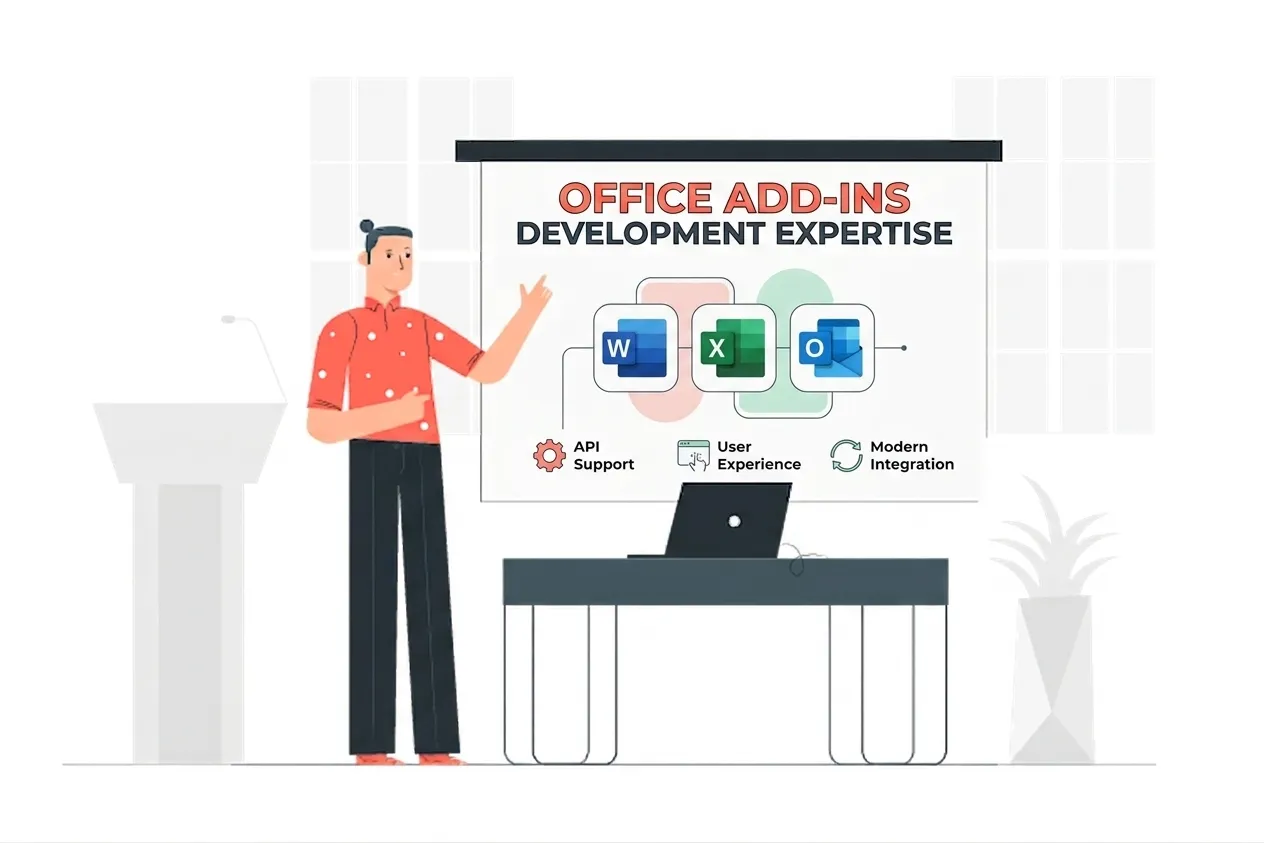
Microsoft Copilot Extension Development Expertise
Our Microsoft Copilot Extension Development Means:
- Microsoft Graph API and Graph Connectors
- Microsoft Entra ID (Azure AD) Authentication
- Microsoft 365 Copilot Architecture
- Plugin and Connector Scoping
- Teams AI Library Familiarity
Custom Microsoft Copilot Extension Development Services
Copilot connector development on Microsoft Graph for external data
Enterprise-grade copilot connector development on microsoft graph for external data solutions built on the latest Microsoft frameworks.
Copilot agent design for multi-step workflow automation
Enterprise-grade copilot agent design for multi-step workflow automation solutions built on the latest Microsoft frameworks.
Plugin architecture planning and scoping
Enterprise-grade plugin architecture planning and scoping solutions built on the latest Microsoft frameworks.
Microsoft 365 Copilot readiness assessment for your organization
Enterprise-grade microsoft 365 copilot readiness assessment for your organization solutions built on the latest Microsoft frameworks.
Graph API integration as the foundation for Copilot extensibility
Enterprise-grade graph api integration as the foundation for copilot extensibility solutions built on the latest Microsoft frameworks.
Azure AD and authentication setup for Copilot plugins
Enterprise-grade azure ad and authentication setup for copilot plugins solutions built on the latest Microsoft frameworks.
Early project scoping and requirements gathering for Copilot builds
Enterprise-grade early project scoping and requirements gathering for copilot builds solutions built on the latest Microsoft frameworks.
Copilot extensibility roadmap consulting
Enterprise-grade copilot extensibility roadmap consulting solutions built on the latest Microsoft frameworks.
Types of Microsoft Copilot Extension Development We Build
Copilot Connectors
Copilot connectors index external data from SharePoint, Salesforce, ServiceNow, or custom sources into Copilot's context. We scope and plan connector builds on Microsoft Graph.
Copilot Agents
Copilot agents automate multi-step workflows inside Microsoft 365. We help design the actions, data access, and guardrails an agent needs before any build begins.
Readiness Assessment
We assess your Microsoft 365 licensing, tenant configuration, and data sources to tell you what a Copilot extension project would actually require.
Graph API Foundation
Copilot extensibility is built on Microsoft Graph and Azure AD. Our Graph API and authentication experience is the groundwork we are extending toward Copilot.
Architecture & Scoping
We plan the plugin or connector architecture, map the data flow, and define the permissions and compliance constraints before a line of code is written.
Early Inquiry & Roadmap
If you are exploring Copilot extensibility, we take early project inquiries and help shape a realistic roadmap and timeline for your build.
Featured Solutions & Interfaces
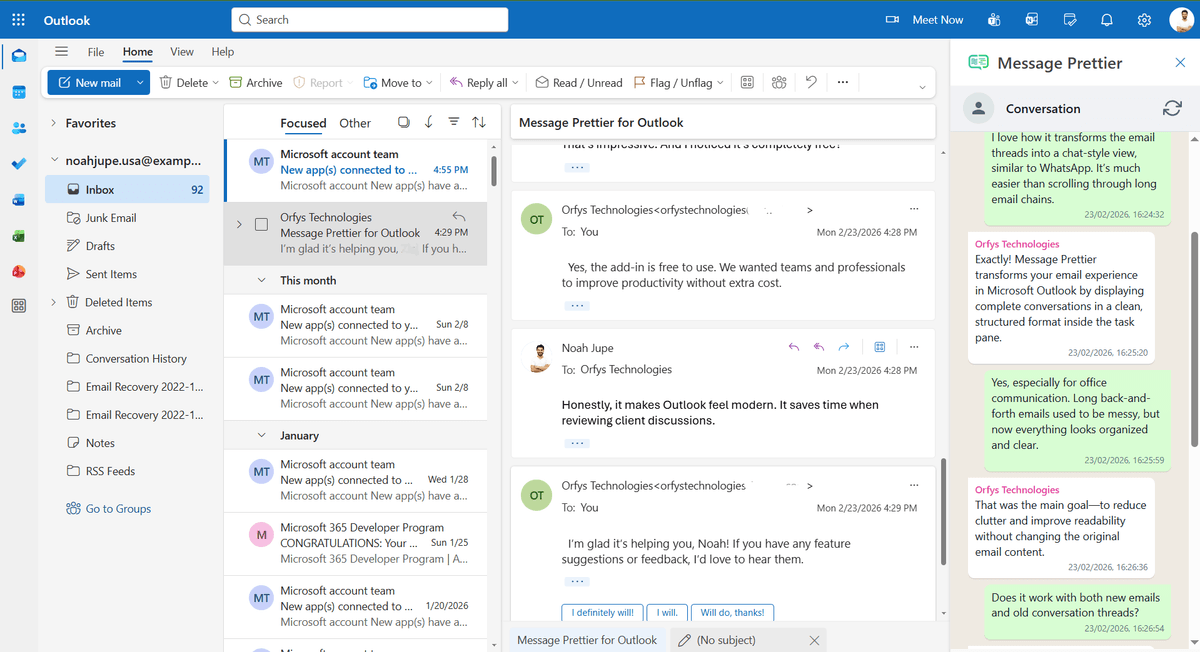
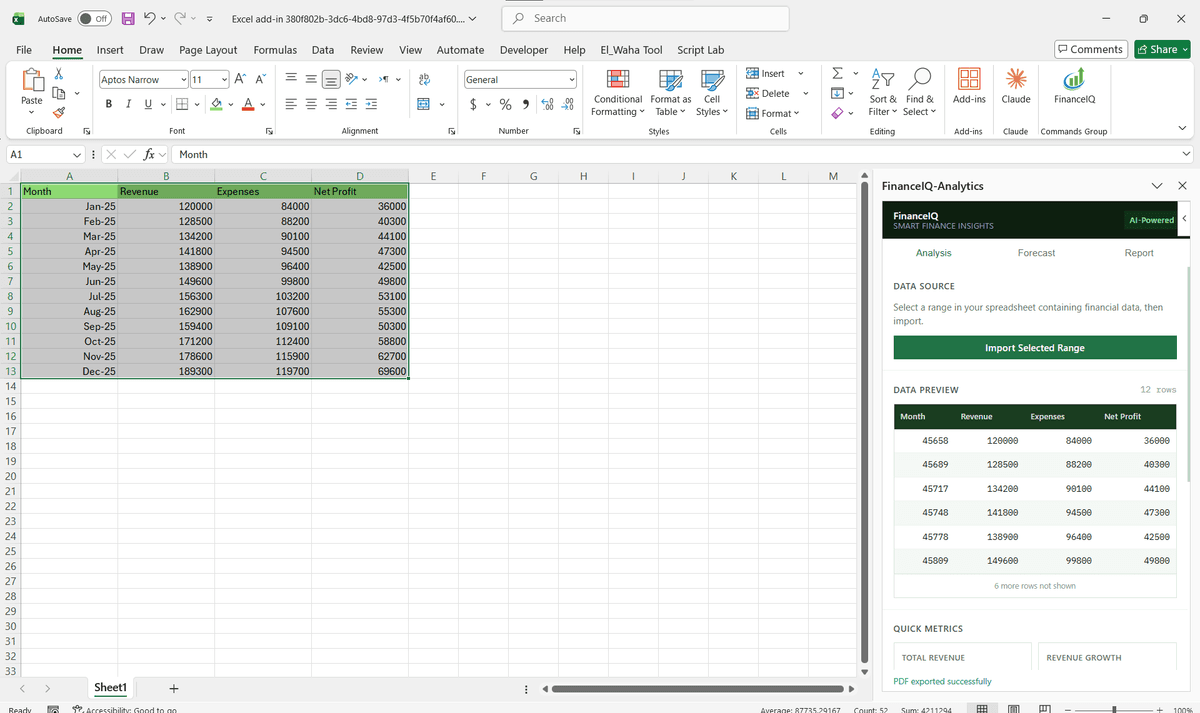
Driving Real Business
Value with Microsoft Copilot Extension Development
Don't just add features. Solve bottlenecks. Our custom solutions are engineered to reduce manual effort by up to 40% and ensure 100% data accuracy.
Cost Reduction
Automate repetitive tasks and eliminate manual data entry.
Native Experience
Add-ins look and feel like part of the original Microsoft app.
Centralized Deployment
Deploy instantly via Microsoft 365 Admin Center.
Data Security
Inherit Microsoft's enterprise-grade security protocols.
Our Tech Stack
The frameworks, cloud platforms, and AI models we build Office add-ins and integrations on.



















Industry-Specific Solutions
We tailor our Microsoft development expertise to meet the unique compliance and workflow requirements of your sector.

Professional Services & Consulting
Firms evaluating Copilot agents to automate multi-step document and research workflows.

Finance & Banking
Teams assessing Copilot connectors to bring policy, market, and CRM data into Copilot's context.










What Our Clients Say
Join 100+ businesses who trust us with their critical Office automation and enterprise add-in development.
"Amazing work. The Excel plugin was built exactly around what I needed and has made the process much faster and easier to manage. Communication was clear throughout, the turnaround was quick, and the final result worked well without needing constant back and forth. They clearly understood the problem."
"MSOfficeAddin truly exceeded expectations in software development, showcasing impeccable professionalism and profound code expertise. Working with the team was a breeze thanks to excellent cooperation and punctual delivery. HIGHLY recommend their services!"
"MSOfficeAddin delivered a flawless software project with incredible attention to detail and professionalism. Working with the team was a breeze as they were consistently responsive and cooperative, all while demonstrating EXCELLENT language fluency. 👍"
Frequently asked questions
What is a Microsoft 365 Copilot extension?
What is the difference between a Copilot extension and an Office add-in?
Do you build Microsoft Copilot extensions today?
What do I need to use Microsoft 365 Copilot in my organization?
What is a Microsoft Graph connector and how does it relate to Copilot?
Can existing Office add-ins be converted into Copilot extensions?
How long does a Copilot connector project take?
Can Copilot extensions respect our existing document permissions?
Explore Related Solutions
Complement your current ecosystem with our other specialized Microsoft development services.
Start your Microsoft Copilot Extension Development project
Our experts are ready to help you architect and deploy your enterprise solution. Schedule a technical discovery call today.
Talk to us
info@msofficeaddin.com
Response within 24 hours
Consultation
Book a technical discovery call
Global Support
Working with clients across North America, Europe, and Asia.
We've pre-filled this form for the Microsoft Copilot Extension Development service. Feel free to edit any field before sending.