
Word Add-ins Development
MSOfficeAddin builds custom ms word add-ins using Office.js, React, and TypeScript, from legal clause libraries and contract generation to branded template management and CRM-connected document generation. Whether your team needs a ms word plugin for one-click proposal creation or a word add on that enforces compliance formatting, we ship production-ready Word extensions for law firms, financial institutions, and enterprise teams worldwide.
Word Add-ins Development Overview
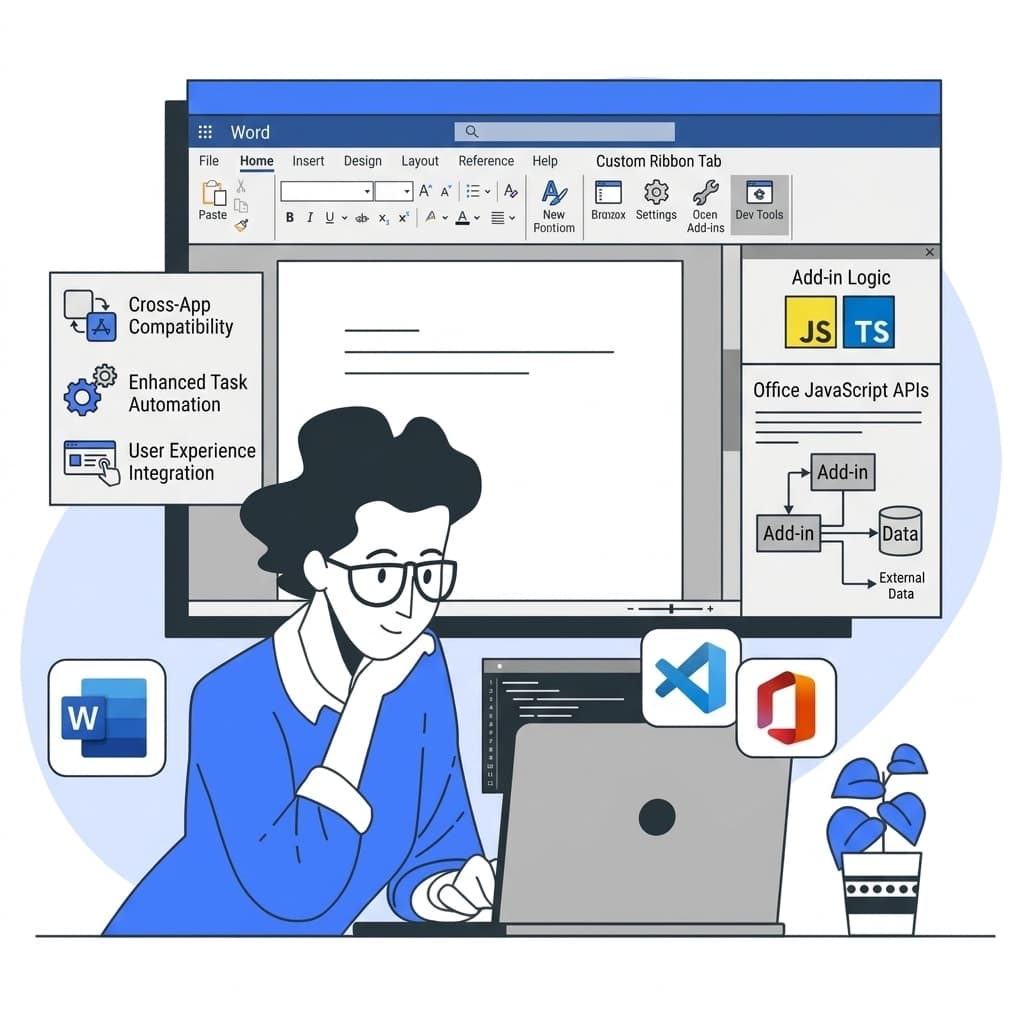
MSOfficeAddin specializes in word add-in development for organizations that need to automate document creation, enforce template standards, and integrate Word with backend systems. We serve law firms, financial institutions, HR teams, and enterprise document-heavy workflows across the US, UK, and Australia who process large volumes of documents and need to eliminate manual formatting, data entry, and compliance risk. Our developers use the Office JavaScript API to build task pane applications that insert content, manipulate ranges, and manage document-level metadata in real time. By connecting Word directly to your CRM or database, we enable one-click document generation that maintains brand consistency and legal compliance every time. Whether you need to modernize a legacy VSTO or COM add-in, build a clause library with Microsoft Graph integration, or ship a branded ms word plugin to thousands of users via the Microsoft 365 admin center, our team delivers cross-platform Word add-ins that run on Windows, Mac, and Word Online. When you are ready for the public marketplace, we also handle AppSource publishing end to end. For an AI writing assistant in Word, see our AI-powered Office add-in service.
One misnumbered cross-reference in a supply agreement cost a regional law firm two days of remediation and an awkward client call. The firm's precedents lived on a shared drive as DOCX files, and associates assembled contracts by copying sections between documents, which is exactly where the numbering broke. We built them a clause library in the task pane: approved language stored in SharePoint, searchable by matter type, inserted with numbering and defined terms intact. A senior partner approves changes to clause wording, and every insertion is logged against the matter number. Drafting a standard supply agreement went from around three hours to forty minutes, but the firm's own measure of success was different: in the first six months after rollout, internal review caught zero broken cross-references.
Document automation pays back fastest where the same document type ships weekly with client-specific variations: contracts, offer letters, valuation reports. If your documents are genuinely bespoke prose, a build like this adds a step without saving one, and better templates plus house style training win. Teams whose real bottleneck is the slide deck attached to the document should look at presentation automation instead.
Word Add-ins Development Expertise
Our Word Add-ins Development Means:
- OOXML and Custom XML Mapping
- Content Control Manipulation
- Legal Document Assembly Systems
- Automated Formatting and Styling
- Advanced Microsoft Graph Search
Custom Word Add-ins Development Services
Document Automation Add-ins
Enterprise-grade document automation add-ins solutions built on the latest Microsoft frameworks.
Legal Clause Library Add-ins
Enterprise-grade legal clause library add-ins solutions built on the latest Microsoft frameworks.
MS Word Plugin Development
Enterprise-grade ms word plugin development solutions built on the latest Microsoft frameworks.
Template Management Add-ins
Enterprise-grade template management add-ins solutions built on the latest Microsoft frameworks.
AI Writing Assistant Add-ins
Enterprise-grade ai writing assistant add-ins solutions built on the latest Microsoft frameworks.
Custom Ribbon & Task Pane Add-ins
Enterprise-grade custom ribbon & task pane add-ins solutions built on the latest Microsoft frameworks.
Types of Word Add-ins Development We Build
Office.js Word Development
Full-stack Word add-in engineering using the Office JavaScript API. We build task pane applications that insert content, manipulate document ranges, and sync with external APIs in real time, the foundation of every reliable document automation project.
Document Assembly
Generate contracts, proposals, and reports automatically by pulling data from your CRM or database. One click replaces hours of manual copy-paste across any word extension workflow.
Legal Clause Libraries
Legal teams can search, insert, and version pre-approved clauses for legal documents directly from the task pane, with full audit tracking and approval gates built in.
Template Management
Centralize branded templates in SharePoint or OneDrive and surface them inside Word via a task pane word add on. Template automation keeps every document on-brand, on-format, and compliant, no shared drives, no version drift.
VSTO & COM Migration
Modernize legacy VSTO plugins and COM add-ins to cross-platform Office.js Word add-ins that run on Windows, Mac, and Word Online without IT deployment headaches.
Compliance & Review Automation
Automate document review workflows, tracked changes, approval routing, and compliance checks across your document management process, so legal and compliance teams spend less time formatting and more time deciding.
Featured Solutions & Interfaces
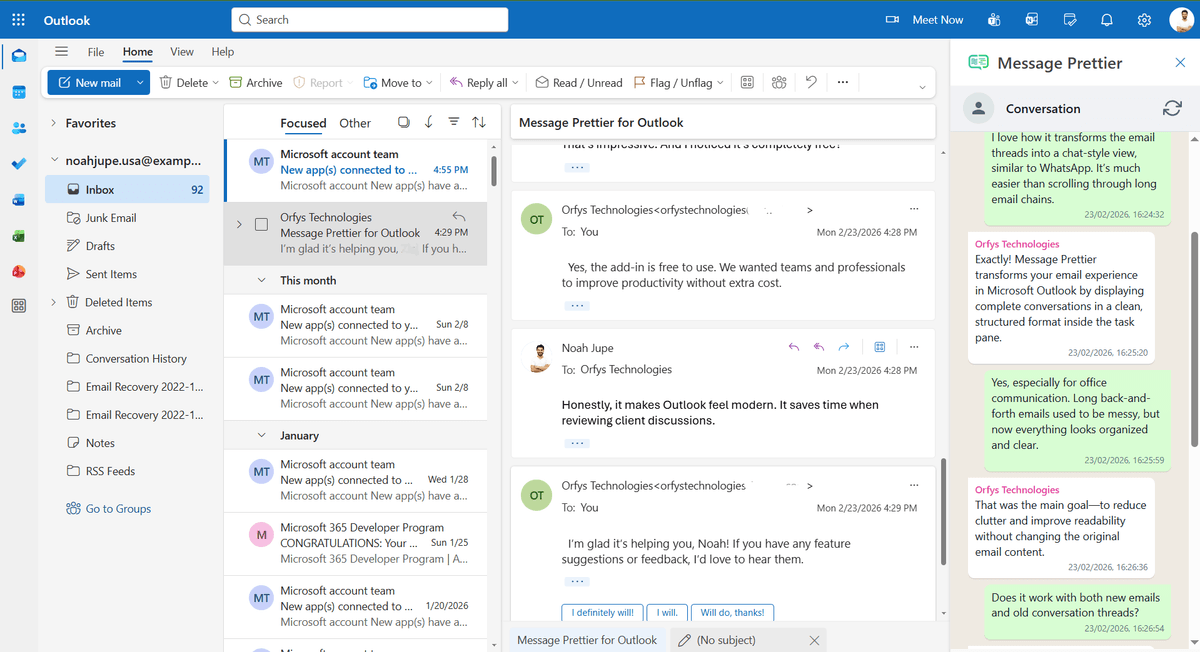
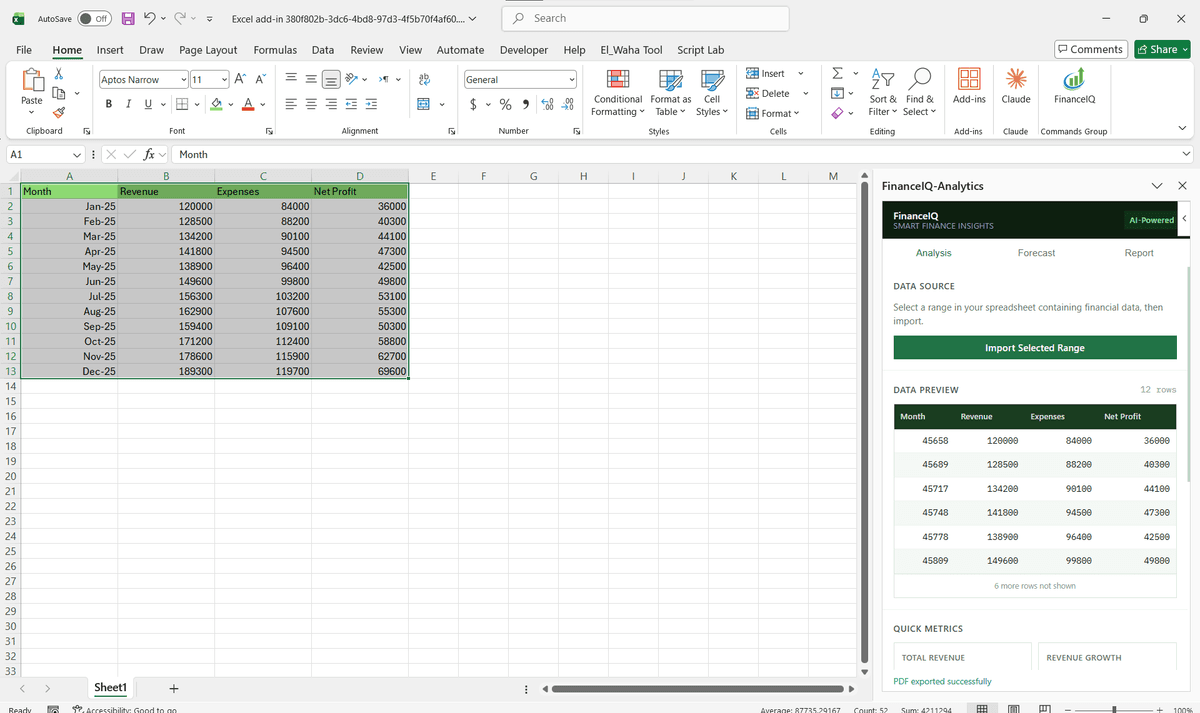
Driving Real Business
Value with Word Add-ins Development
Don't just add features. Solve bottlenecks. Our custom solutions are engineered to reduce manual effort by up to 40% and ensure 100% data accuracy.
Cost Reduction
Automate repetitive tasks and eliminate manual data entry.
Native Experience
Add-ins look and feel like part of the original Microsoft app.
Centralized Deployment
Deploy instantly via Microsoft 365 Admin Center.
Data Security
Inherit Microsoft's enterprise-grade security protocols.
Our Tech Stack
The frameworks, cloud platforms, and AI models we build Office add-ins and integrations on.




Industry-Specific Solutions
We tailor our Microsoft development expertise to meet the unique compliance and workflow requirements of your sector.

Legal
Contract assembly, clause library management, and litigation document automation for firms that live in Word.

Finance & Banking
Automated compliance reporting, investment memo generation, and audit documentation with enforced formatting standards.

HR & Recruiting
Offer letter automation, policy document generation, and onboarding package creation at scale.










What Our Clients Say
Join 100+ businesses who trust us with their critical Office automation and enterprise add-in development.
"Amazing work. The Excel plugin was built exactly around what I needed and has made the process much faster and easier to manage. Communication was clear throughout, the turnaround was quick, and the final result worked well without needing constant back and forth. They clearly understood the problem."
"MSOfficeAddin truly exceeded expectations in software development, showcasing impeccable professionalism and profound code expertise. Working with the team was a breeze thanks to excellent cooperation and punctual delivery. HIGHLY recommend their services!"
"MSOfficeAddin delivered a flawless software project with incredible attention to detail and professionalism. Working with the team was a breeze as they were consistently responsive and cooperative, all while demonstrating EXCELLENT language fluency. 👍"
Frequently asked questions
What are Word add-ins?
What is a COM add-in and do I need one for Word?
How do I hire a Word add-in developer?
What is a Word task pane add-in and what can it do?
Can you build Word add-ins for legal documents and contract generation?
Can you automate Word document templates with an add-in?
Can you build a custom Word ribbon add-in?
Do you build Word add-ins with AI or writing assistant features?
Can a clause library work with track changes and existing review workflows?
Where does our document data live, our tenant or yours?
Explore Related Solutions
Complement your current ecosystem with our other specialized Microsoft development services.
Start your Word Add-ins Development project
Our experts are ready to help you architect and deploy your enterprise solution. Schedule a technical discovery call today.
Talk to us
info@msofficeaddin.com
Response within 24 hours
Consultation
Book a technical discovery call
Global Support
Working with clients across North America, Europe, and Asia.
We've pre-filled this form for the Word Add-ins Development service. Feel free to edit any field before sending.